Disclosure: As an Amazon Associate, we earn from qualifying purchases. If you click a link on this page and make a purchase, we may receive a small commission at no extra cost to you.
Last Updated: July 23, 2026
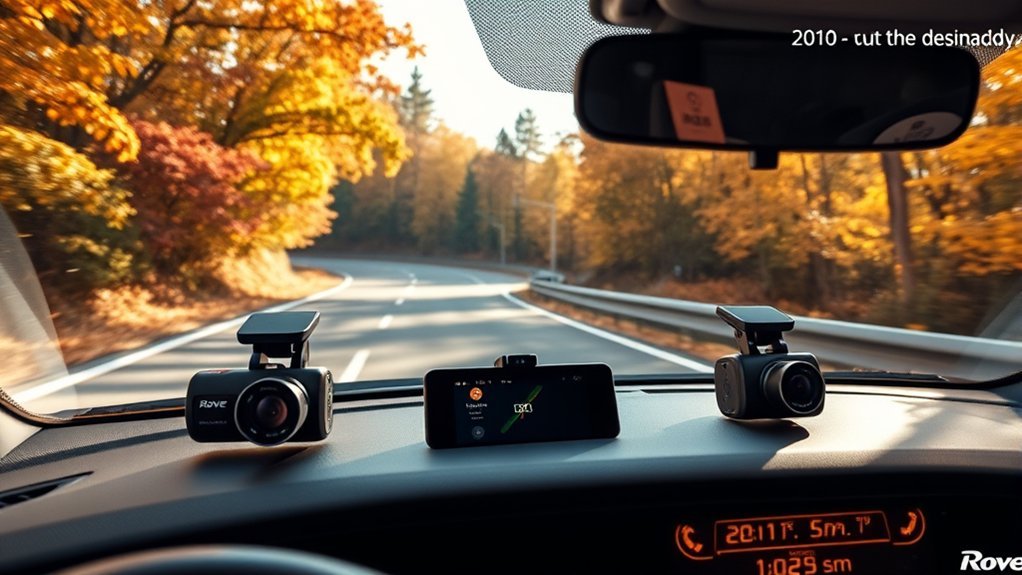
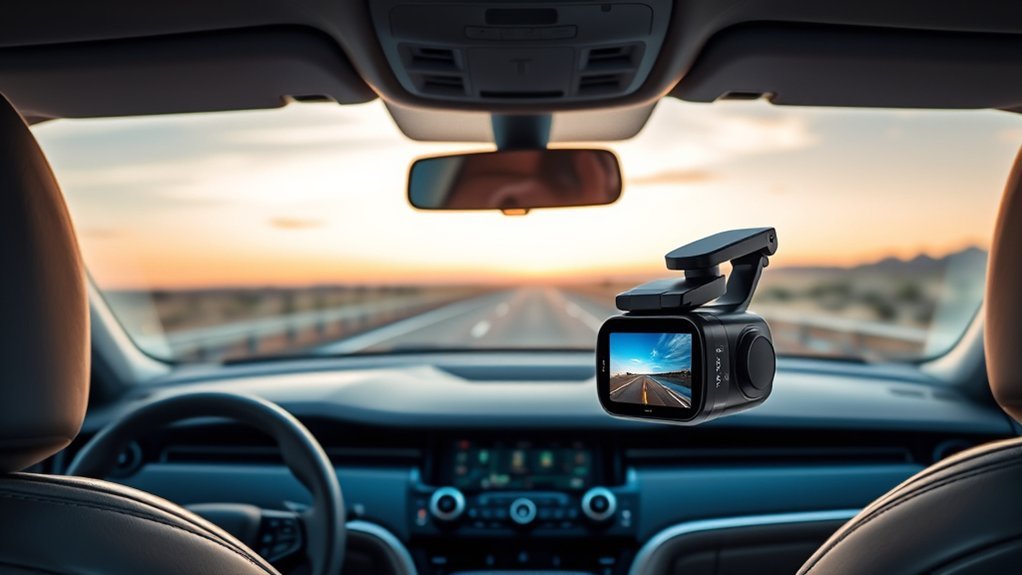
Parking mode is useful only when a dash cam has power after you switch off the vehicle. The cameras below offer parking-monitor features, but none should be treated as a dependable all-night battery camera by itself. For parked recording, you may need the maker’s hardwire kit, a compatible OBD power cable, an always-on 12V outlet, or an external dash cam battery pack.
This guide compares five relevant dash cams with parking mode. It focuses on video quality, front and rear coverage, night recording, WiFi, GPS, included storage, and the extra power equipment needed for parked monitoring. Check the live Amazon listing and the manufacturer’s instructions before choosing a power accessory.
Quick Verdict
The ROVE R2-4K Dual Dash Cam is the strongest overall fit for drivers who want detailed front and rear footage, GPS, fast app transfers, a 128GB card, and a clearly documented parking-mode setup. The Pelsee P1 Pro is a better match if you value STARVIS 2 night recording, voice control, and driver-assistance alerts.
Power reality check: Full parking mode on the main picks requires a compatible continuous-power accessory. Choose the camera first, then confirm whether you prefer a hardwire kit, OBD cable, powered 12V outlet, or external battery pack.
Key Takeaways
- Best overall: ROVE R2-4K Dual for 4K front video, 1080P rear coverage, GPS, fast WiFi, and a 128GB card.
- Best advanced features: Pelsee P1 Pro for STARVIS 2, voice control, GPS, WiFi, and ADAS alerts.
- Best known-brand value: REDTIGER F7NP for 4K and 1080P recording, GPS, WiFi, and broad road coverage.
- Best budget dual-channel option: CIEVIE D100 for basic 4K front and 1080P rear recording with a 64GB card.
- Best multi-angle coverage: AILVKANG 4-Channel for front, left, right, and rear 1080P views.
How We Chose These Dash Cams
We checked product relevance, current model identity, channel count, stated resolution, parking-mode power requirements, night-recording features, GPS, WiFi, included storage, and whether each product still matched its Amazon link. We removed products with unavailable listings, changed ASIN destinations, conflicting bundle details, or parking claims that could not support a useful recommendation.
We did not treat a small internal battery as a substitute for continuous parked power. We also avoided exact prices, star ratings, discount claims, and review counts because those details can change quickly.
Editor’s Pick: ROVE R2-4K Dual Dash Cam
The ROVE R2-4K Dual Dash Cam offers the most balanced package in this shortened list. It records 4K video at the front and 1080P at the rear, includes built-in GPS and a 128GB microSD card, and supports app-based video management.
Its parking mode is not battery-only. ROVE states that the compatible hardwire kit is required for the full parking feature. Choose it if you want a well-documented dual-camera system and you are willing to add the correct power accessory.
| ROVE R2-4K Dual Dash Cam with 128GB Card | 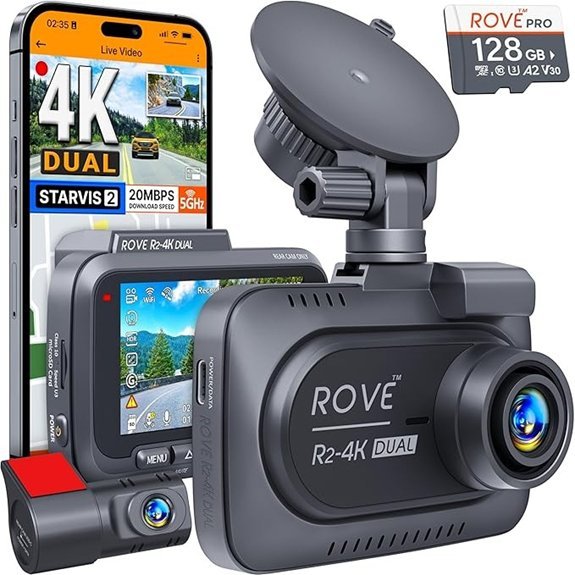 | Best Overall | Resolution: 4K front + 1080P rear | Storage: 128GB card included | Parking Power: Compatible hardwire kit required | Check Price on Amazon | Read Our Analysis |
| Pelsee P1 Pro 4K Dual Dash Cam | 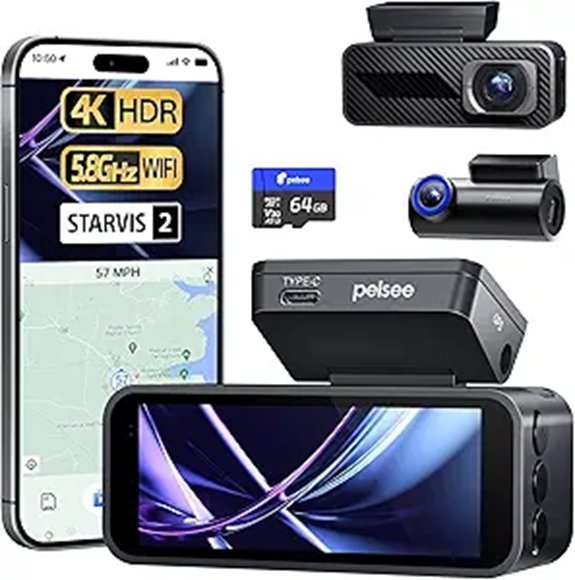 | Best Advanced Features | Resolution: 4K front + 1080P rear | Night Vision: STARVIS 2 | Parking Power: Hardwire kit needed | Check Price on Amazon | Read Our Analysis |
| REDTIGER F7NP 4K Dash Cam with GPS and WiFi | 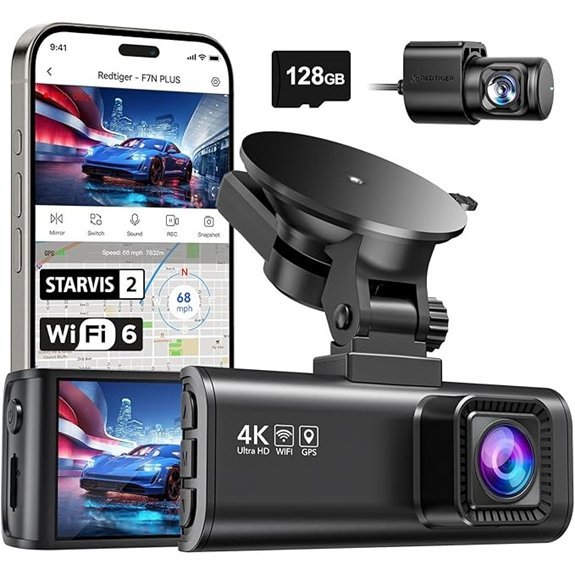 | Best Known-Brand Value | Resolution: 4K front + 1080P rear | Connectivity: GPS + 5.8GHz WiFi | Parking Power: Separate kit needed | Check Price on Amazon | Read Our Analysis |
| CIEVIE D100 4K Dual Dash Cam | 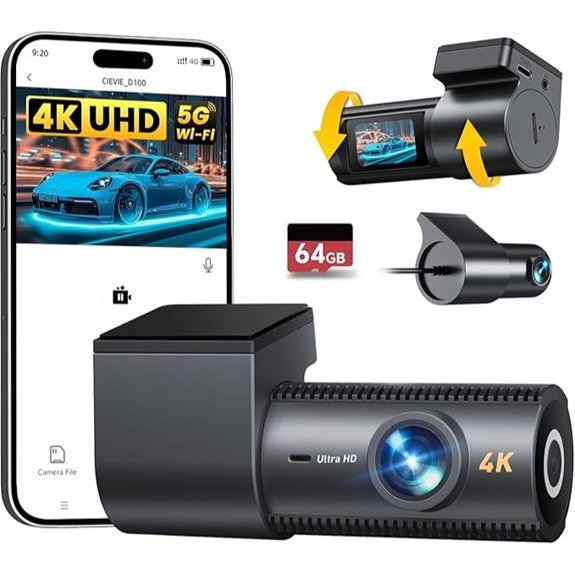 | Best Budget Dual Channel | Resolution: 4K front + 1080P rear | Storage: 64GB card included | Parking Power: CIEVIE hardwire kit required | Check Price on Amazon | Read Our Analysis |
| AILVKANG 360° 4-Channel Dash Cam | 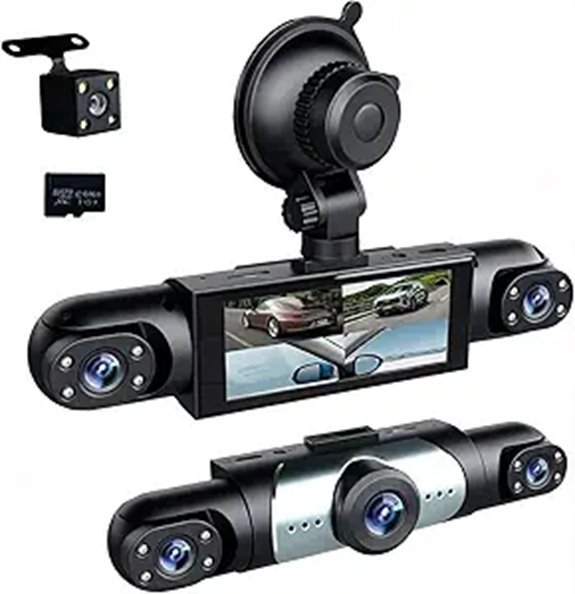 | Best Multi-Angle Coverage | Resolution: 1080P four-channel | Storage: 64GB card included | Parking Power: ACC hardwire kit required | Check Price on Amazon | Read Our Analysis |
Parking Mode Power Comparison
| Product | Best For | Documented Parking Power | Main Tradeoff |
|---|---|---|---|
| ROVE R2-4K Dual | Balanced front and rear evidence | ROVE hardwire kit required for full parking mode | Extra installation and accessory cost |
| Pelsee P1 Pro | Night recording and advanced features | Compatible hardwire kit needed | More settings to configure |
| REDTIGER F7NP | GPS, WiFi, and brand support | Separate REDTIGER hardwire kit or compatible supported power method | Parking accessory is not part of the standard camera package |
| CIEVIE D100 | Lower-cost dual-camera coverage | CIEVIE hardwire kit required for 24/7 parking mode | Basic feature set and smaller display |
| AILVKANG 4-Channel | Front, side, and rear coverage | ACC hardwire kit required for full parking mode | 1080P detail and higher power use across four channels |
More Details on Our Top Picks
-
Products Worth Considering

【4K+1080P Dual Recording】The dashcam features dual cameras: a front camera records 4K ultra-high-definition video, and a rear camera records 1080P video. This helps you read key information such as road signs, license plates, and lane markings, providing reliable evidence in the event of an accident or dispute

【Dual STARVIS 2 Sensors】The A229 Plus is the first Front and Rear dashcam to feature two Sony STARVIS 2 IMX675 image sensors. This advanced technology offers 2.5 times dynamic range and 2.5 times light sensitivity compared to STARVIS, resulting in reduced noise and motion blur during night recording. The A229 Plus provides the ultimate solution for capturing clear and detailed footage, making it a revolutionary addition to any driver's safety toolkit.
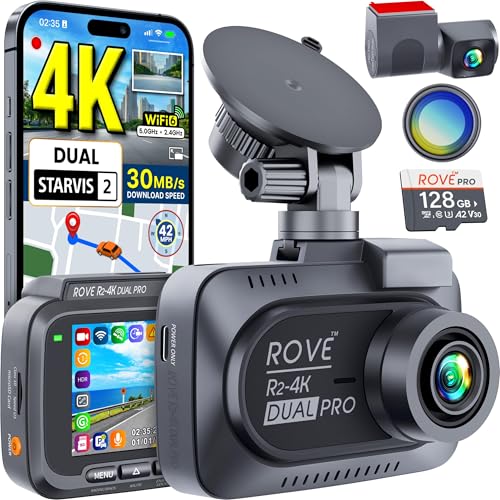
CRYSTAL-CLEAR 4K + 2K DUAL DASH CAM – The ROVE R2-4K DUAL PRO dash cam features 3840x2160P 4K front @30fps and 2560x1440P 2K rear @30fps recording. With Sony’s latest STARVIS 2 sensors for both front and rear, HDR imaging, F1.7 (front) and F1.55 (rear) wide-aperture lenses, and a sweeping 150° front + 140° rear ultra-wide angle, you’ll capture every drive in crisp detail—even the smallest objects, license plates, or road signs. Whether it’s daylight or dusk, every frame is crystal clear.
ROVE R2-4K Dual Dash Cam with 128GB Card
The ROVE R2-4K Dual Dash Cam is the most balanced option here for drivers who want clear front and rear coverage. It records 3840x2160P at 30fps at the front and 1920x1080P at 30fps at the rear.
Built-in GPS can add route and speed data to your evidence. The included 128GB microSD card reduces setup costs, while dual-band WiFi and the ROVE app make it easier to review and transfer clips.
Parking mode note: ROVE states that its compatible hardwire kit is required for the 24-hour auto-trigger parking feature. Do not rely on the camera’s supercapacitor as a parking battery.
- Resolution:3840x2160P front + 1920x1080P rear
- Night Recording:Wide F1.5 aperture
- Loop Recording:Yes
- G-Sensor:Yes
- WiFi Connectivity:Dual-band WiFi
- Parking Mode:Compatible ROVE hardwire kit required
- Included Storage:128GB microSD card
- GPS:Built in
- Power Design:Supercapacitor
Pros
- Detailed 4K front video with 1080P rear coverage.
- Includes a useful 128GB card.
- GPS and app support improve evidence management.
Cons
- Full parking mode needs a separate hardwire kit.
- High-resolution dual recording uses storage faster.
Who should buy this: Drivers who want a complete front and rear system with GPS and included storage.
Who should avoid this: Anyone who needs true battery-only overnight parking surveillance.
Pelsee P1 Pro 4K Dual Dash Cam
The Pelsee P1 Pro combines a 4K front camera with 1080P rear recording, STARVIS 2 low-light technology, WiFi, voice control, GPS, and ADAS alerts. This feature mix suits drivers who want more guidance and control than a basic recorder provides.
Voice commands can reduce button use while driving, and app access makes it easier to view or save clips. The included 64GB card lets you begin recording without buying storage immediately.
Parking mode note: Pelsee documents that a hardwire kit is needed for parking mode. Confirm that the kit matches the P1 Pro connector and your vehicle before installation.
- Resolution:4K front + 1080P rear
- Night Recording:STARVIS 2 sensor
- Loop Recording:Yes
- G-Sensor:Yes
- WiFi Connectivity:5.8GHz WiFi
- Parking Mode:Hardwire kit needed
- Included Storage:64GB microSD card
- Driver Features:Voice control and ADAS alerts
- GPS:Included on the linked configuration
Pros
- Strong low-light and convenience feature set.
- Voice control can reduce manual operation.
- Front and rear coverage with included storage.
Cons
- Parking mode is not available from the standard power cable after shutdown.
- ADAS alerts may require careful setup to reduce unnecessary warnings.
Who should buy this: Drivers who want night recording, voice control, and extra driver-assistance features.
Who should avoid this: Shoppers who prefer a simple camera with few menus and settings.
REDTIGER F7NP 4K Dash Cam with GPS and WiFi
The REDTIGER F7NP is a practical choice for drivers who want a recognizable dash cam brand, front and rear recording, built-in GPS, and app connectivity. The linked model records 4K at the front and 1080P at the rear.
Its 170° front and 140° rear viewing angles cover a broad part of the road. WDR and night-recording features help balance difficult lighting, while the G-sensor protects event clips from normal loop overwriting.
Parking mode note: REDTIGER states that a separate hardwire kit is needed to enable parking monitoring. The standard camera package should not be presented as a self-powered parking solution.
- Resolution:4K front + 1080P rear
- Night Recording:WDR and STARVIS 2 on the linked version
- Loop Recording:Yes
- G-Sensor:Yes
- WiFi Connectivity:5.8GHz WiFi
- Parking Mode:Separate REDTIGER hardwire kit needed
- GPS:Built in
- Front View:170°
- Rear View:140°
Pros
- Useful balance of resolution, GPS, and WiFi.
- Broad front and rear viewing angles.
- Brand-specific accessories and support information are easier to find.
Cons
- Parking monitoring requires extra power hardware.
- App performance can depend on phone settings and firmware.
Who should buy this: Drivers who want a familiar dash cam brand with the core evidence features covered.
Who should avoid this: Anyone who wants parking mode with no added installation step.
CIEVIE D100 4K Dual Dash Cam
The CIEVIE D100 is the simpler dual-channel choice in this lineup. It records 4K at the front and 1080P at the rear, includes a 64GB card, and supports app access through 5.8GHz WiFi.
The compact 1.5-inch screen mainly shows status and settings, so most buyers will use the app for detailed playback. The adjustable front and rear camera angles can help fit different windshield and cabin layouts.
Parking mode note: The linked listing states that 24/7 parking mode needs the CIEVIE hardwire kit, sold separately. The camera requires continuous power from the vehicle’s 12V outlet or a supported hardwire setup during normal operation.
- Resolution:4K front + 1080P rear
- Night Recording:F2.0 aperture and WDR
- Loop Recording:Yes
- G-Sensor:Yes
- WiFi Connectivity:5.8GHz WiFi
- Parking Mode:CIEVIE hardwire kit required
- Included Storage:64GB microSD card
- Display:1.5-inch IPS screen
- Camera Adjustment:Rotatable front and rear units
Pros
- 4K front and 1080P rear coverage at a simpler feature level.
- Includes a 64GB card.
- Adjustable camera angles help with installation.
Cons
- The small screen is less useful for on-device playback.
- Full parking mode needs a separate accessory.
Who should buy this: Buyers who want an affordable dual-channel camera and can accept a compact display.
Who should avoid this: Drivers who need GPS or premium low-light hardware.
AILVKANG 360° 4-Channel Dash Cam
The AILVKANG 4-Channel Dash Cam records front, left, right, and rear views in 1080P. This wider layout can be more useful than a dual camera for rideshare vehicles, taxis, family cars, or fleet drivers who care about side and cabin-area activity.
It includes infrared night vision, WDR, a G-sensor, loop recording, adjustable lenses, and a 64GB card. The tradeoff is lower per-channel detail than the 4K front cameras above.
Parking mode note: The seller states that an ACC hardwire kit is required for full parking mode. The internal 150mAh battery is not intended to power normal recording, so the camera must stay connected to a suitable power source.
- Resolution:1080P four-channel recording
- Night Recording:Infrared night vision and WDR
- Loop Recording:Yes
- G-Sensor:Yes
- Coverage:Front, left, right, and rear
- Parking Mode:ACC hardwire kit required
- Included Storage:64GB card
- Internal Battery:150mAh, not suitable for normal recording power
- Camera Adjustment:Adjustable front lenses
Pros
- Four viewing directions reduce coverage gaps.
- IR night vision suits cabin and low-light use.
- Includes a 64GB card.
Cons
- 1080P footage provides less fine detail than 4K.
- Full parking mode requires hardwiring, and the internal battery is very small.
Who should buy this: Rideshare, taxi, fleet, or family drivers who value wider coverage over maximum resolution.
Who should avoid this: Drivers who mainly need sharp long-distance plate detail or a no-wire parking setup.
How to Power Parking Mode Without a Permanent Fuse-Box Install
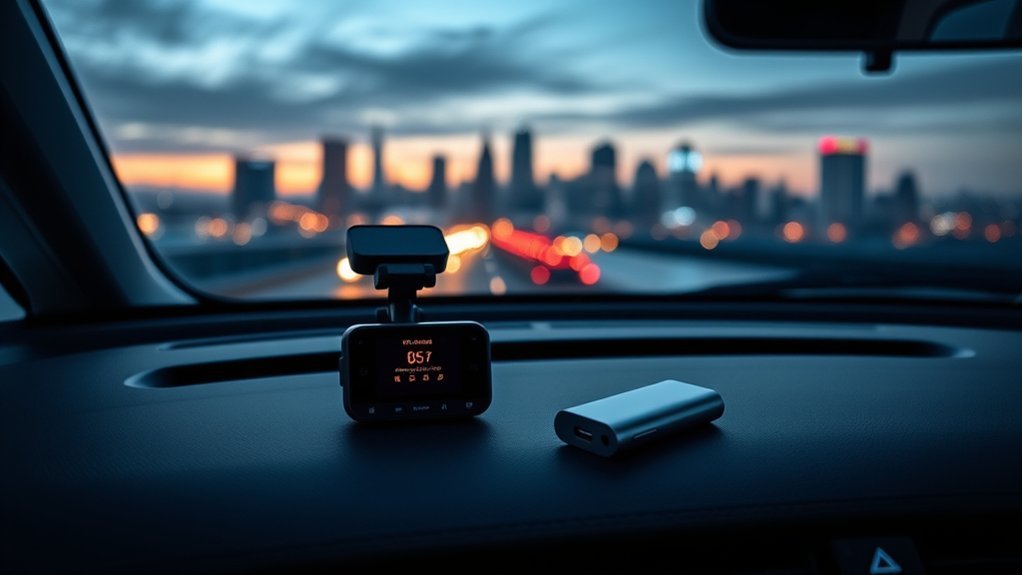
A no-hardwire setup does not mean a dash cam can record indefinitely without power. It means you use another supported source instead of permanently connecting the camera to the fuse box. Always confirm the camera’s voltage, connector, parking-mode trigger, and low-voltage requirements before buying an accessory.
Products Worth Considering

Backup Battery for BlackVue Dash Cams - Designed specifically for BlackVue dash cams, the B-130A provides a stable, independent power source for Parking Mode. This system keeps your recording active without relying on or draining your vehicle’s main battery, ensuring 24/7 protection.
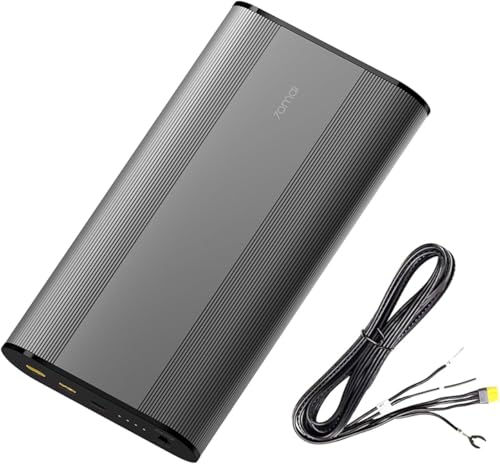
【Universal Dash Cam Compatibility】The XT30 output port simulates standard car battery signals (VCC/ACC/GND), while the included 3.3m Type-C ensure compatibility with most dash cam models on the market.

【Huge Capacity & Universal Compatibility】: Total 86.58Wh, 3.7V 23400mAh (11.1V 7800mA ) enough for daily use. Weighting 630g and sizing 6.25*6.25*13cm, it is easy to carry and portable to plane. Featured with 30W USB C PD output, 18W USB A QC 3.0 output, 12W USB-A output, 12V DC output, and 12V cigarette light outlet,this portable power station can meet the charging needs of different scenarios.
External Dash Cam Battery Pack
An external battery pack is usually the cleanest choice for longer parking coverage without drawing directly from the vehicle battery while parked. The pack charges while you drive, then powers the dash cam after shutdown. It costs more and needs a safe mounting location, but it offers the clearest separation from the car battery.
OBD Power Cable
A compatible OBD cable can provide constant power without opening the fuse box. It may also include low-voltage protection or parking-mode switching. Do not assume any OBD cable will work with every dash cam. Check the connector, output, vehicle compatibility, and maker guidance.
Always-On 12V Outlet
Some vehicles keep a 12V outlet active after the engine is off. This can power a dash cam without hardwiring, but it can also drain the vehicle battery if there is no cutoff. Test the outlet behavior and use a protected adapter before relying on this method.
Small Internal Batteries and Supercapacitors
Most dash cam batteries are designed to save the last file or support a short event, not to record throughout the night. A supercapacitor improves heat tolerance and shutdown reliability, but it is not an energy source for hours of parking footage.
Factors to Consider When Choosing a Dash Cam With Parking Mode
Products Worth Considering

TRIPLE DASH CAM: This 3-channel dash camera features a 170° wide-angle front camera, a 150° cabin camera, and a 150° waterproof rear camera, effectively reducing visual blind spots. The IPS screen delivers a clear, blur-free image from any viewing angle.

❗❗❗NOTE: This product must be powered by the original cigarette lighter charger; it cannot be powered by a USB cable or a Type-C cable. IIWEY N5 dash cam equipped with a 3" IPS screen, FHD 1080P+1080P+1080P+1080P, which can record 360° all-round including front, rear, sides, and interior. It also features a 2.5K+1080P+1080P+1080P mode for diverse needs. In addition, N5 is equipped with 170° super wide-angle front and rear cameras and 150° wide-angle side cameras, providing a wide field of view.

UPSCALED 4K FRONT + 1080P REAR DUAL DASH CAM: The ROVE R2-4K DUAL records the road ahead and behind at the same time. The front camera captures at 2.5K (QHD) and intelligently upscales to 4K (2160P) for higher-detail playback, while the rear camera records at Full HD 1080P. This is upscaled 4K, not native 4K, engineered to show sharper everyday detail than standard 1080P dash cams, so you can read license plates, signs, and surroundings in front and rear footage.
Parking Power Compatibility
Start with the exact parking power method. Check whether the camera requires a three-wire hardwire kit, supports a brand-specific OBD cable, or can work with an external battery pack. Also check for low-voltage protection so the camera does not leave your vehicle unable to start.
Recording Mode
Impact detection records after a bump. Motion detection records when movement enters the camera’s field of view. Time-lapse or low-bitrate modes record more consistently but use more power and storage. Choose the mode that fits where and how long you park.
Storage Capacity
Use a compatible high-endurance microSD card. A 64GB card may be enough for basic use, while 128GB or more is more practical for 4K, dual-channel, or four-channel recording. Never exceed the camera’s supported card capacity.
Night Recording Performance
Look beyond the words “night vision.” Sensor quality, lens aperture, HDR or WDR processing, infrared lights, street lighting, windshield reflections, and camera angle all affect the result. Review sample footage when the listing provides it.
Channel Count and Camera Placement
A front-only camera is easier to install. A dual-channel system adds rear evidence. Three-channel and four-channel cameras add cabin or side coverage but use more storage and power. Place each lens where trim, tint, defroster lines, and headrests will not block the view.
App and GPS Features
WiFi helps you view and download clips without removing the memory card. GPS can record route, location, and speed data. These features are useful, but stable recording and dependable power matter more than app extras during a parked incident.
Before You Buy Checklist
- Confirm that the Amazon ASIN still matches the named dash cam.
- Check the exact parking-mode power accessory required.
- Confirm low-voltage protection and vehicle compatibility.
- Check whether a microSD card is included and the maximum supported capacity.
- Measure the rear-camera cable path before installation.
- Confirm app support for your phone.
- Decide whether you need front only, front and rear, cabin, or side coverage.
Common Buyer Objections
Will parking mode drain my car battery?
It can. Use a compatible power accessory with low-voltage protection, or choose an external dash cam battery pack. Do not leave a camera on an unprotected always-live outlet for long periods.
Can I avoid hardwiring completely?
Possibly, but only with a compatible alternative such as an OBD cable, an always-on protected 12V outlet, or an external battery pack. The dash cams in this list do not provide dependable overnight recording from their small internal power storage.
Is 4K always better than 1080P?
No. 4K can capture more detail in good conditions, but a well-placed 1080P side or cabin camera may provide more useful coverage than a single higher-resolution view.
Do I need GPS?
GPS is helpful for route and speed records, but it is not required for basic incident video. Choose it when location data matters to your use case.
Frequently Asked Questions
Can a Dash Cam Use Parking Mode Without a Fuse-Box Hardwire Kit?
Sometimes. A compatible OBD power cable, an always-on 12V outlet with protection, or an external dash cam battery pack may work. Confirm compatibility with both the dash cam and vehicle before installation.
Do These Dash Cams Record All Night From Their Internal Batteries?
No. Small internal batteries are generally for emergency file saving or short standby. Supercapacitors also do not provide hours of recording power. Full parking coverage needs a supported continuous-power source.
How Long Can Parking Mode Record?
Runtime depends on the power source, camera channels, recording mode, temperature, and storage. A four-channel continuous setup uses more power and storage than an impact-only front camera.
What Memory Card Should I Use?
Use a compatible high-endurance microSD card from a reliable brand. Check the maximum supported capacity in the camera manual or current listing before buying.
Do Dash Cams Record When the Car Is Off?
Only when parking mode has power. The normal cigarette-lighter cable stops working in many vehicles after shutdown. A hardwire kit, compatible OBD cable, always-on outlet, or external battery pack may be needed.
Which Dash Cam Is Best for Rideshare Drivers?
The AILVKANG 4-Channel model offers the widest coverage in this list, but its 1080P detail is lower than the 4K front cameras. A rideshare driver who mainly wants front, cabin, and rear evidence may prefer multi-channel coverage over maximum front resolution.
Is an OBD Cable Better Than Hardwiring?
It is easier to remove and may avoid fuse-box work, but compatibility is less universal. A proper hardwire kit usually provides a cleaner permanent installation. The better option depends on the camera, vehicle, parking needs, and installation comfort.
Can I Install a Hardwire Kit Myself?
Only if you understand fuse types, constant and accessory circuits, grounding, cable routing, and airbag-safe placement. When unsure, use a qualified installer.
Final Recommendation
Choose the ROVE R2-4K Dual for the best overall balance of detailed dual recording, GPS, app access, and included storage. Choose the Pelsee P1 Pro when STARVIS 2 night recording, voice control, and ADAS features matter more. Choose the AILVKANG 4-Channel when broad multi-angle coverage matters more than 4K detail.
Whichever camera you choose, confirm the parking-mode power method before ordering. The power accessory determines whether the camera can protect the vehicle after the engine is off.