Affiliate disclosure: As an Amazon Associate, we may earn from qualifying purchases. This does not change your price.
Last Updated: July 23, 2026
If you record long road trips, fleet routes, or extended parking sessions, a dash cam with external SSD support can provide far more storage than a microSD-only setup. The three models below are configurations from the VIOFO A329S series. They share support for up to a 4TB external SSD or a 512GB microSD card, but they differ in camera coverage and maximum recording modes.
Quick verdict:
- Best full coverage: The 3-channel model records the front, cabin, and rear.
- Best for most drivers: The dual-channel model balances front and rear coverage with a 4K 60fps front option.
- Best front-only setup: The 1-channel model keeps installation simpler while retaining 4K 60fps recording and SSD support.
Important SSD note: The SSD is not included. VIOFO recommends a compatible Type-C SSD cable and says to use a hardwire cable for power when an SSD is connected. Advanced Low Power Impact Detection and Hybrid Parking Mode also require a microSD card.
Check Current Amazon Availability ➜
| VIOFO A329S 4K 3 Channel Dash Cam | 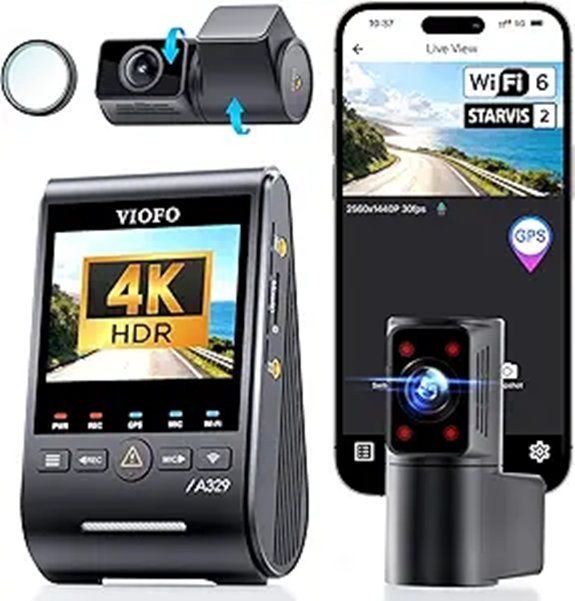 |
Best Full Coverage | Video Quality: 4K30 Front + 2K30 Cabin + 2K30 Rear | Sensors: Three Sony STARVIS 2 Sensors | Storage Support: Up to 4TB SSD or 512GB microSD | CHECK AMAZON DETAILS | Read Our Analysis |
| VIOFO A329S 4K Dual Dash Camera for Cars | 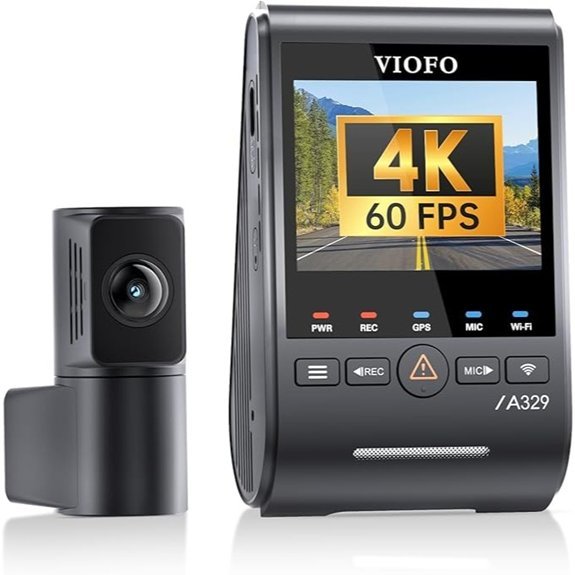 |
Best for Most Drivers | Video Quality: Up to 4K60 Front + 2K30 Rear | Sensors: Dual Sony STARVIS 2 Sensors | Storage Support: Up to 4TB SSD or 512GB microSD | CHECK AMAZON DETAILS | Read Our Analysis |
| VIOFO A329S 4K Dash Cam with Wi-Fi 6 | 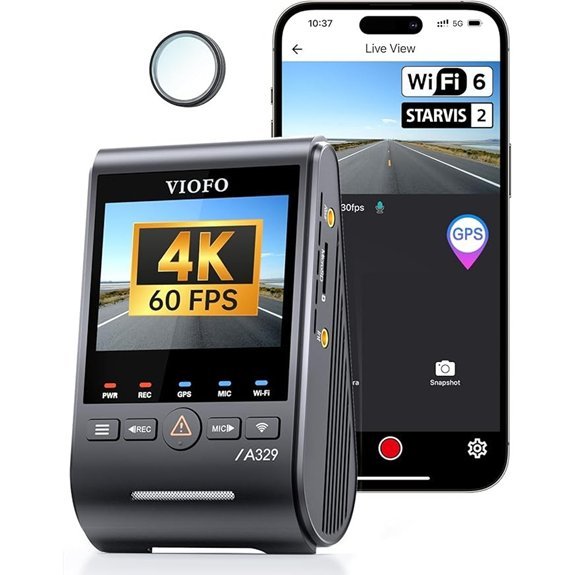 |
Best Front-Only | Video Quality: Up to 4K at 60fps | Sensor: Sony STARVIS 2 IMX678 | Storage Support: Up to 4TB SSD or 512GB microSD | CHECK AMAZON DETAILS | Read Our Analysis |
How to Choose Between These VIOFO A329S Dash Cams
Choose by coverage first, then compare recording mode, installation effort, and parking requirements. External SSD support is useful across all three models, but it does not make a front-only camera equivalent to a dual- or 3-channel system.
- Pick the 3-channel model if cabin footage matters for rideshare work, passenger monitoring, or full vehicle coverage.
- Pick the dual-channel model if you want front and rear evidence without recording the cabin.
- Pick the front-only model if you value a simpler installation and do not need rear or cabin footage.
More Details on Our Top Picks
-
VIOFO A329S 4K 3 Channel Dash Cam
The VIOFO A329S 3CH is the strongest option here when you need front, cabin, and rear evidence from one system. Its listed maximum 3-channel mode is 4K 30fps front + 2K 30fps cabin + 2K 30fps rear. All three cameras use Sony STARVIS 2 sensors, and the cabin camera uses a 210° fisheye view. This configuration is especially useful for rideshare drivers, family vehicles, and anyone who wants coverage inside and behind the car instead of front footage alone.
Why you may like it: It combines all-around coverage, three-channel HDR support, built-in GPS, dual-band Wi-Fi 6, voice control, and large-capacity storage support in one setup.
Before you buy: A 3-channel installation requires more cable routing. The SSD, compatible Type-C SSD cable, hardwire kit, and optional rear-camera cable lengths should be checked before checkout.
- Maximum Video Mode:4K30 Front + 2K30 Cabin + 2K30 Rear
- Sensors:Sony STARVIS 2 IMX678 Front + IMX675 Cabin and Rear
- Storage Support:Up to 4TB External SSD or 512GB microSD
- Cabin View:210° Fisheye Interior Camera
- Parking Modes:Hybrid, Low Power Impact, Event, Time-Lapse, and Low Bitrate
- Connectivity:Dual-Band Wi-Fi 6 and Built-In GPS
- Voice Control:Supported
- Power Source:Supercapacitor
- Important Accessory Note:SSD and Required Cables Are Sold Separately
Who Should Buy It
Choose this model if you need the widest coverage in this roundup and are willing to route cables for front, cabin, and rear cameras.
Who Should Skip It
Skip it if you do not need cabin recording or want the least complicated installation. The dual-channel or front-only model may be easier to fit and manage.
-
VIOFO A329S 4K Dual Dash Camera for Cars
The VIOFO A329S 2CH is the most balanced choice for drivers who want front and rear recording without a cabin camera. It supports a maximum front setting of 4K 60fps with the rear camera recording at 2K 30fps. The front and rear cameras use Sony STARVIS 2 sensors, and the system includes built-in GPS, Wi-Fi 6, voice control, parking modes, and SSD support.
Why you may like it: It covers the two views most private drivers care about while requiring less equipment than a 3-channel system.
Before you buy: The 4K 60fps front mode and front HDR are not used together. With front HDR enabled, the front setting is 4K 30fps. Also confirm the rear cable length for your vehicle, especially if you have a long SUV, van, or liftgate route.
- Maximum Video Mode:4K60 Front + 2K30 Rear
- HDR Note:Front 4K30 When HDR Is Enabled
- Sensors:Sony STARVIS 2 IMX678 Front + IMX675 Rear
- Storage Support:Up to 4TB External SSD or 512GB microSD
- Parking Modes:Hybrid, Low Power Impact, Event, Time-Lapse, and Low Bitrate
- Connectivity:Dual-Band Wi-Fi 6 and Built-In GPS
- Cable Type:Ultra-Slim Coaxial Rear Cable
- Power Source:Supercapacitor
- Important Accessory Note:SSD and Required Cables Are Sold Separately
Who Should Buy It
Choose this model if you want strong front and rear evidence for commuting, road trips, or daily parking without recording passengers.
Who Should Skip It
Skip it if you need interior footage for rideshare work or passenger monitoring. Choose the 3-channel model instead.
-
VIOFO A329S 4K Dash Cam with Wi-Fi 6
The VIOFO A329S 1CH is the simplest option in this comparison. It records the road ahead at up to 4K 60fps using a Sony STARVIS 2 IMX678 sensor. It also offers HDR, dual-band Wi-Fi 6, built-in GPS, voice control, parking modes, and support for up to a 4TB external SSD or 512GB microSD card.
Why you may like it: It keeps the camera system compact and avoids rear- or cabin-camera cable routing while retaining the core A329S storage and connectivity features.
Before you buy: Front-only footage cannot show a rear impact or activity inside the cabin. Choose it only when that limitation matches your needs.
- Maximum Video Mode:4K at 60fps
- Sensor:Sony STARVIS 2 IMX678
- Storage Support:Up to 4TB External SSD or 512GB microSD
- HDR:Supported
- Parking Modes:Hybrid, Low Power Impact, Event, Time-Lapse, and Low Bitrate
- Connectivity:Dual-Band Wi-Fi 6 and Built-In GPS
- Voice Control:Supported
- Power Source:Supercapacitor
- Important Accessory Note:SSD and Required Cables Are Sold Separately
Who Should Buy It
Choose this model if your priority is sharp front-facing recording, simpler installation, and large-capacity storage.
Who Should Skip It
Skip it if rear or cabin evidence is important. A front-only camera cannot replace a multi-channel setup.
Factors to Consider When Choosing a Dash Cam With External SSD Support
The right model depends on more than storage capacity. Compare camera coverage, recording modes, SSD requirements, parking power, cable routing, and the way you plan to retrieve footage.
Camera Coverage and Channel Count
A front-only camera is easier to install, but it cannot record behind the vehicle. A dual-channel system covers the front and rear. A 3-channel system adds a cabin view, which is useful for rideshare work and passenger-related incidents. Choose the fewest channels that still capture the evidence you may need.
Video Quality, Frame Rate, and HDR
Resolution is only one part of image quality. The A329S 3CH records all three views at up to 4K30 + 2K30 + 2K30. The A329S 2CH offers up to 4K60 front + 2K30 rear, but front HDR reduces the front mode to 4K30. Higher frame rates can make motion look smoother, while HDR can help balance bright and dark areas. Choose the setting that best matches daylight, night driving, and storage needs.
SSD Capacity and Compatibility
All three models list support for up to a 4TB external SSD or 512GB microSD card. However, the SSD is not included, and compatibility should not be assumed. Check VIOFO’s current recommended SSD guidance, cable requirements, and setup instructions before buying a drive. Higher-resolution, higher-frame-rate, and multi-channel recording use storage faster.
SSD Power and Port Setup
The external SSD connects to the Type-C port on the side of the main camera, while power should be supplied through the port on the GPS mount. VIOFO recommends using a hardwire cable for power when an SSD is connected. Do not treat the side SSD/data port as the normal power input.
Parking Mode and Battery Protection
Parking mode requires a constant power source, normally through a compatible hardwire kit. Low Power Impact Detection and Hybrid Parking Mode also require a microSD card, even when an SSD is connected. Confirm the correct hardwire kit, fuse type, voltage cutoff settings, and installation method for your vehicle before enabling engine-off recording.
Installation and Cable Length
A front-only camera is usually the easiest to install. Rear and cabin cameras require more cable routing, and liftgates or long vehicles may need a longer rear cable. Check mounting space, airbag paths, moving hatch areas, cable lengths, and local windshield-mount rules before installation.
Connectivity and Footage Access
Dual-band Wi-Fi 6 can make wireless transfers more convenient when your phone and conditions support it. The A329S series also provides USB data connectivity and built-in GPS. Test the app, voice commands, date and time, GPS information, and file playback before relying on the camera for an important trip.
Accessories to Check Before Checkout
- A compatible external SSD
- The recommended Type-C SSD cable
- A compatible hardwire kit for SSD power and parking mode
- A high-endurance microSD card for advanced parking modes
- The correct rear and cabin cable lengths
- Optional rear CPL filter or Bluetooth remote, when needed
Before You Buy Checklist
- Decide whether you need front-only, front-and-rear, or front-cabin-rear coverage.
- Confirm the exact recording mode you plan to use, including the HDR and frame-rate tradeoff.
- Check the current compatible SSD and cable guidance.
- Plan a stable hardwire power connection if you will use an SSD or parking mode.
- Use a microSD card when you need Low Power Impact Detection or Hybrid Parking Mode.
- Measure rear-camera cable routing before choosing a cable length.
- Check local rules for windshield placement and audio recording.
Common Mistakes to Avoid Before Buying
- Assuming the SSD is included: It is a separate purchase, and the correct cable may also be optional.
- Buying the wrong channel setup: Storage capacity cannot replace missing rear or cabin coverage.
- Expecting front 4K60 and HDR at the same time on the 2CH model: Front HDR uses 4K30.
- Using the wrong port for power: The side Type-C port is for the SSD or data connection; normal power should go through the GPS mount.
- Skipping the microSD card for advanced parking modes: Low Power Impact Detection and Hybrid Parking Mode require one.
- Ignoring cable length and hatch movement: Rear-camera routing can be difficult in long vehicles and liftgates.
Frequently Asked Questions
What Do I Need to Use an External SSD With a VIOFO A329S?
You need a compatible external SSD and the correct Type-C SSD cable. VIOFO also recommends using a compatible hardwire cable for power when an SSD is connected. The SSD and optional accessories are not included with every package, so check the listing contents before checkout.
Can I Use Any Portable SSD With These Dash Cams?
Do not assume every portable SSD or USB-C cable will work reliably. Check VIOFO’s current compatibility guidance and follow its connection and formatting instructions. Test recording and file playback before a long trip.
Can the A329S Record to an SSD Without a microSD Card?
Yes, an SSD can be used without a microSD card for normal driving and traditional parking modes. However, Low Power Impact Detection and Hybrid Parking Mode require a microSD card in addition to the SSD.
Does the A329S 2CH Record 4K 60fps With HDR Enabled?
No. The front camera can record at 4K 60fps when front HDR is off. When front HDR is enabled, the front setting is 4K 30fps. The rear camera records at 2K.
How Long Will an External SSD Last in a Dash Cam?
There is no reliable fixed lifespan for every SSD. Longevity depends on the drive’s write endurance, recording load, temperature, power stability, and overall quality. Review saved footage regularly, watch for write or connection errors, and replace the drive if it becomes unreliable.
Do I Need a Hardwire Kit for Parking Mode?
Yes. Parking mode needs constant power while the engine is off. Use a compatible hardwire kit with correctly configured battery-protection settings. Professional installation may be appropriate if you are not comfortable working with the vehicle fuse box or routing cables near airbags.
Final Recommendation
Choose the VIOFO A329S 3CH when front, cabin, and rear coverage matter most. Choose the VIOFO A329S 2CH for the best balance of front and rear protection in a private vehicle. Choose the VIOFO A329S 1CH when you want a simpler front-only setup with 4K 60fps capability and external SSD support.
Before ordering, confirm the package contents, compatible SSD, Type-C SSD cable, hardwire kit, microSD requirement for advanced parking modes, and cable lengths for your vehicle.