Choosing a front and rear dash cam in 2026 comes down to the coverage you need, the resolution you can actually use, and how easily you can save important footage. This guide compares dual-channel and three-channel dash cams with features such as 2.5K or 4K recording, night vision, GPS, Wi-Fi, loop recording, G-sensors, included microSD storage, and parking-mode support. The best choice depends on whether you want a simple budget setup, sharper front-and-rear detail, or added cabin coverage for rideshare and work driving.
Affiliate disclosure: This page contains Amazon affiliate links. If you buy through them, we may earn a commission at no extra cost to you.
| E-YEEGER S60 2.5K Front and Rear Dash Cam with 32GB Card | 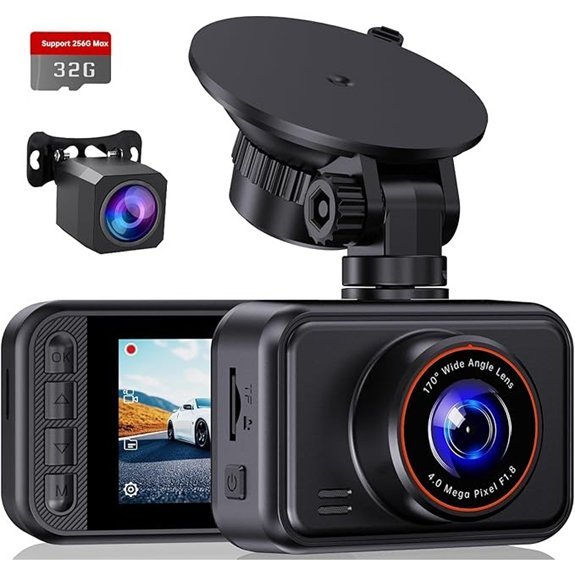 |
Best Budget Option | Resolution: 2.5K front, 1080P rear | Night Vision: WDR/HDR night vision | G-Sensor: Yes | CHECK PRICE ON AMAZON | Read Our Analysis |
| TERUNSOUl D016 4K+4K Front and Rear Dash Cam with 128GB Card | 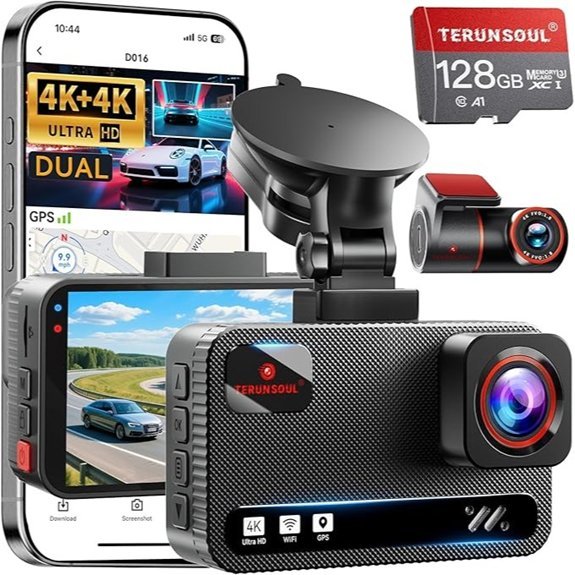 |
Best for Dual 4K | Resolution: 4K front, 4K rear | Night Vision: Super Starlight night vision | G-Sensor: Yes | CHECK PRICE ON AMAZON | Read Our Analysis |
| TERUNSOUl D018 4K+4K+1080P 3-Channel Dash Cam | 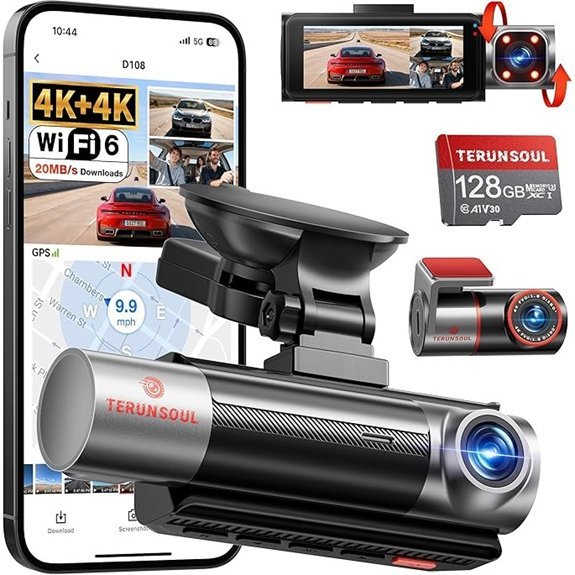 |
Best for Rideshare Coverage | Resolution: 4K front, 4K rear, 1080P cabin | Night Vision: IR cabin + WDR night vision | G-Sensor: Yes | CHECK PRICE ON AMAZON | Read Our Analysis |
| REDTIGER F7N Touch 4K Front and Rear Dash Cam with GPS | 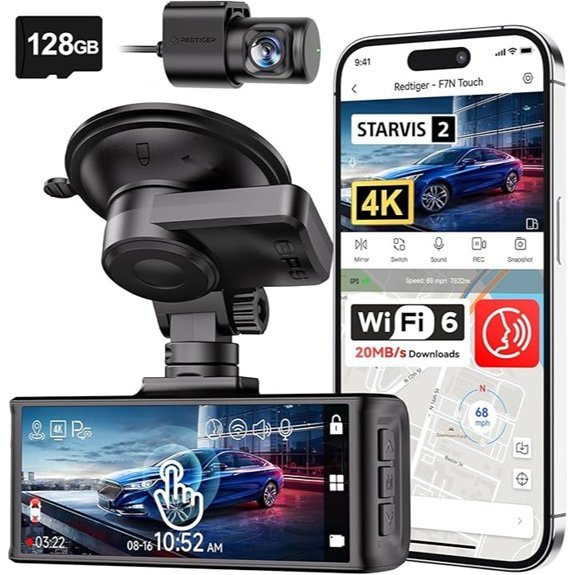 |
Best for Voice Control | Resolution: 4K front, 1080P rear | Night Vision: STARVIS 2 + WDR/HDR | G-Sensor: Yes | CHECK PRICE ON AMAZON | Read Our Analysis |
| FAIMEE F9 4K+2K+2K 3-Channel Dash Cam with 128GB Card | 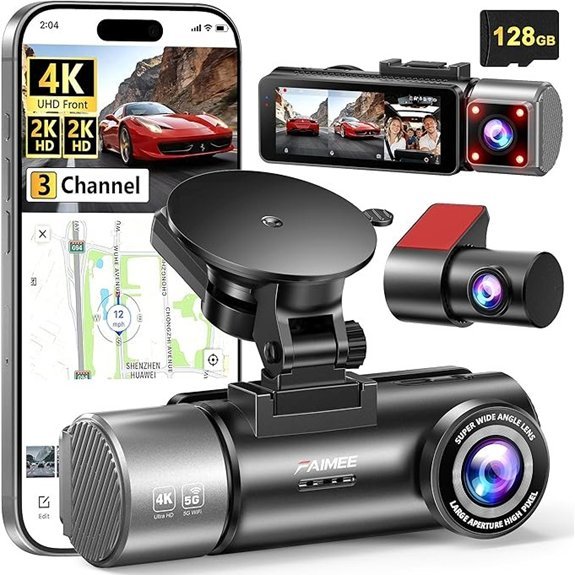 |
Best for High-Resolution Cabin Coverage | Resolution: 4K front, 2K interior, 2K rear | Night Vision: Night vision + WDR | G-Sensor: Yes | CHECK PRICE ON AMAZON | Read Our Analysis |
More Details on Our Top Picks
-
E-YEEGER S60 2.5K Front and Rear Dash Cam with 32GB Card
The E-YEEGER S60 is a practical pick for drivers who want front-and-rear recording without paying for a 4K setup. It records at 2.5K in front and 1080P in the rear, includes a 32GB microSD card, and uses a compact 2-inch display with a 360° suction mount. WDR/HDR and a wide F1.8 aperture support low-light recording, while loop recording and the G-sensor help preserve incident clips. It is best for buyers who value simple dual-camera coverage and included storage more than GPS or app-based features.
- Resolution:2.5K front, 1080P rear
- Night Vision:WDR/HDR low-light support
- G-Sensor:Yes
- Loop Recording:Yes
- Storage Included:32GB card
- Parking Monitoring:Supported; verify required power setup
- Additional Feature:170° front wide-angle lens
- Additional Feature:2-inch display
- Additional Feature:360° suction mount
-
TERUNSOUl D016 4K+4K Front and Rear Dash Cam with 128GB Card
The TERUNSOUl D016 is the strongest fit here for buyers who want high resolution in both directions. It records 4K front and 4K rear, includes a 128GB memory card, and supports cards up to 512GB. Built-in GPS can log route and speed data, while 5.8GHz/2.4GHz Wi-Fi works with the TERUNSOUl app for viewing and managing recordings. Its Super Starlight night-vision system uses WDR plus wide-aperture lenses to improve low-light capture. Loop recording, a G-sensor, and a manual lock function round out the evidence-focused feature set.
- Resolution:4K front, 4K rear
- Night Vision:Super Starlight with WDR
- G-Sensor:Yes
- Loop Recording:Yes
- Storage Included:128GB card
- Parking Monitoring:Supported; verify required power setup
- Additional Feature:5.8GHz/2.4GHz Wi-Fi
- Additional Feature:Built-in GPS
- Additional Feature:Supports up to 512GB
-
TERUNSOUl D018 4K+4K+1080P 3-Channel Dash Cam
The TERUNSOUl D018 adds cabin recording for drivers who want more than a standard dual dash cam. Its three-channel setup records 4K front, 4K rear, and 1080P cabin footage, with 170° front and 150° cabin and rear viewing angles. A 128GB card is included and the camera supports up to 512GB. Infrared cabin recording and WDR improve low-light usability, while Wi-Fi, built-in GPS, loop recording, and the G-sensor make it easier to review and protect important clips. The extra cabin camera is especially useful for rideshare, commercial, and family-trip documentation, but it also creates more files than a two-camera system.
- Resolution:4K front, 4K rear, 1080P cabin
- Night Vision:IR cabin recording + WDR
- G-Sensor:Yes
- Loop Recording:Yes
- Storage Included:128GB card
- Parking Monitoring:Supported; verify required power setup
- Additional Feature:Three-channel simultaneous recording
- Additional Feature:170° front, 150° cabin/rear views
- Additional Feature:Supports up to 512GB
-
REDTIGER F7N Touch 4K Front and Rear Dash Cam with GPS
The REDTIGER F7N Touch combines 4K front and 1080P rear recording with a STARVIS 2 sensor, WDR/HDR processing, built-in GPS, voice control, and a 3.18-inch touchscreen. Its 170° front and 140° rear views are designed to cover a broad section of the road, while loop recording and the G-sensor help protect incident footage. The included 128GB card reduces setup friction, and 5GHz Wi-Fi supports faster transfers to a phone. This is a good fit for drivers who prefer hands-free controls and on-device touchscreen navigation rather than a basic button-only interface.
- Resolution:4K front, 1080P rear
- Night Vision:STARVIS 2 with WDR/HDR
- G-Sensor:Yes
- Loop Recording:Yes
- Storage Included:128GB card
- Parking Monitoring:Supported; verify required power setup
- Additional Feature:Voice control
- Additional Feature:3.18-inch touchscreen
- Additional Feature:5GHz Wi-Fi and built-in GPS
-
FAIMEE F9 4K+2K+2K 3-Channel Dash Cam with 128GB Card
The FAIMEE F9 is aimed at drivers who want higher-resolution cabin and rear coverage than the typical 1080P secondary cameras. It records 4K in front, 2K in the cabin, and 2K at the rear, includes a 128GB card, and offers built-in GPS plus dual-band 5.8GHz/2.4GHz Wi-Fi. WDR and night-vision features support recording in changing light, while loop recording and the G-sensor can protect important incident files. This three-channel layout is well suited to rideshare and work vehicles, although buyers should expect higher storage use than with a standard two-channel system.
- Resolution:4K front, 2K interior, 2K rear
- Night Vision:Night vision with WDR
- G-Sensor:Yes
- Loop Recording:Yes
- Storage Included:128GB card
- Parking Monitoring:Supported; verify required power setup
- Additional Feature:Three-channel recording
- Additional Feature:5.8GHz/2.4GHz Wi-Fi
- Additional Feature:Built-in GPS
- Decide whether you need two channels (front and rear) or three channels (front, rear, and cabin).
- Confirm the memory-card capacity the model supports and remember that higher-resolution multi-camera recording uses storage faster.
- Check whether the parking mode you want requires a separate hardwire kit or another continuous-power accessory.
- Plan cable routing so wiring does not interfere with your view, controls, or airbag deployment areas.
- Check current warranty, app compatibility, included accessories, and seller terms on the Amazon listing before ordering.
Factors to Consider When Choosing a Front and Rear Dash Cam on Amazon
When comparing front and rear dash cams on Amazon, focus on the recording layout first, then resolution, low-light performance, storage, parking-mode power needs, GPS, Wi-Fi, and installation. Those details affect how useful the footage is and how easy the camera is to live with every day.
1. Video Resolution Quality
Higher resolution can make road details easier to review, but resolution alone does not guarantee readable license plates in every condition. For a dual-camera setup, compare the front and rear resolutions separately. Some models record 4K only in front, while others record 4K in both directions. Three-channel systems may split resolution across front, rear, and cabin cameras. Also consider lens quality, aperture, HDR/WDR processing, frame rate, and how much storage the chosen recording mode uses.
2. Night Vision Capabilities
For frequent night driving, look beyond the words “night vision.” Features such as STARVIS-type sensors, WDR/HDR, wide apertures, and infrared cabin LEDs can improve low-light footage in different ways. IR is most useful for an interior camera, while WDR/HDR can help balance bright headlights and darker road areas. Night performance still depends on lighting, windshield condition, motion, and camera settings, so avoid treating any low-light feature as a guarantee of plate readability.
3. Storage Capacity Options
Storage needs vary widely by resolution, bitrate, number of channels, and loop length. A 128GB card will generally retain more footage than a 32GB card, but a three-channel 4K system can fill storage much faster than a lower-resolution dual camera. Loop recording automatically reuses space by overwriting older unlocked files. If you take long trips or want more history before files cycle, check the camera’s maximum supported microSD capacity and use a card type recommended for continuous video recording.
4. Incident and Parking Features
A G-sensor can detect sudden impacts and mark or lock a clip so it is less likely to be overwritten by loop recording. Manual emergency-lock controls are also useful when you want to save footage immediately. Parking modes vary: some react to impact or motion, while others use time-lapse recording. Many parking features need continuous power from a hardwire kit or another compatible accessory, so confirm the power requirements before buying.
5. Installation Process Ease
A dash cam is easier to use when the mount is stable, the cable is long enough for clean routing, and the rear-camera cable suits your vehicle size. Suction mounts are easy to reposition, while adhesive mounts can be more permanent. During installation, keep the camera and wiring from blocking the driver’s view or interfering with airbags and controls. If you plan to hardwire parking mode, follow the camera and vehicle instructions or use a qualified installer when needed.
6. GPS Functionality
Built-in GPS can add location, route, time, and speed information to recordings or companion software, depending on the model. This can make footage easier to organize and review after a trip or incident. If GPS data matters to you, check how the model stores and displays it, whether a separate desktop viewer or mobile app is required, and whether you can disable speed or location overlays when desired.
7. Wi-Fi and App Connectivity
Wi-Fi can make it easier to preview, download, and share clips without removing the memory card. Some models support both 5.8GHz/5GHz and 2.4GHz connections, while others use a single band. App quality matters as much as headline Wi-Fi speed, so check current phone compatibility and app requirements on the listing. Voice control and touchscreens can also reduce menu friction, but they are convenience features rather than substitutes for reliable recording.
8. Warranty and Support
Warranty length and support terms can change by model, seller, and region. Instead of assuming a dash cam has a standard coverage period, check the current warranty statement on the product listing or manufacturer support page before purchasing. Also confirm how firmware updates, replacement requests, and app support are handled. Clear documentation and accessible support can matter if you run into installation, storage, or connectivity problems later.
Frequently Asked Questions
How Do I Install a Dash Cam in My Vehicle?
Clean the mounting area, position the front camera where it does not obstruct your view, mount the rear camera, and route the cables neatly. Keep wiring away from controls and airbag deployment areas. Plug-in power is simplest; parking mode may require a compatible hardwire kit or other continuous-power solution.
Can Dash Cams Record While the Car Is Parked?
Yes, if the model supports a parking mode and has the required power source. Depending on the dash cam, parking mode may use impact detection, motion detection, or time-lapse recording. Many setups require a hardwire kit or another continuous-power accessory when the ignition is off.
What Is the Warranty Period for Dash Cams?
There is no single standard warranty period for dash cams. Coverage varies by manufacturer, seller, model, and region, and terms can change. Check the current Amazon listing and the manufacturer’s support information before buying.
How Do I Access Recorded Footage From My Dash Cam?
That depends on the model. Common methods include removing the microSD card, connecting the camera to a computer, or using the manufacturer’s Wi-Fi app. GPS-enabled models may also use companion software to display route or speed data with the video.
Are Dash Cams Legal to Use in All States?
Dash cam rules are not uniform across U.S. jurisdictions. Before installing one, check the rules that apply where you drive, especially windshield-placement or obstruction requirements and laws covering audio recording or privacy. Mount the camera so it does not block your safe field of view.
Do I Need a Hardwire Kit for Parking Mode?
Often, but not always. Parking mode needs power while the vehicle is off, and many dash cams use a separate hardwire kit for that purpose. Check the exact model’s power requirements and low-voltage protection options before installation.
Conclusion
For most buyers, the decision is easiest when you start with the camera layout. The E-YEEGER S60 covers the basics with 2.5K front and 1080P rear recording plus an included 32GB card. The TERUNSOUl D016 is the better fit when you want 4K recording in both front and rear. For cabin coverage, compare the TERUNSOUl D018 with its 4K+4K+1080P layout and the FAIMEE F9 with 4K+2K+2K recording. The REDTIGER F7N Touch is a strong alternative if voice control, a touchscreen, GPS, and front-and-rear recording matter most. Before ordering, verify current Amazon listing details, parking-mode power requirements, warranty terms, and app compatibility for your phone.