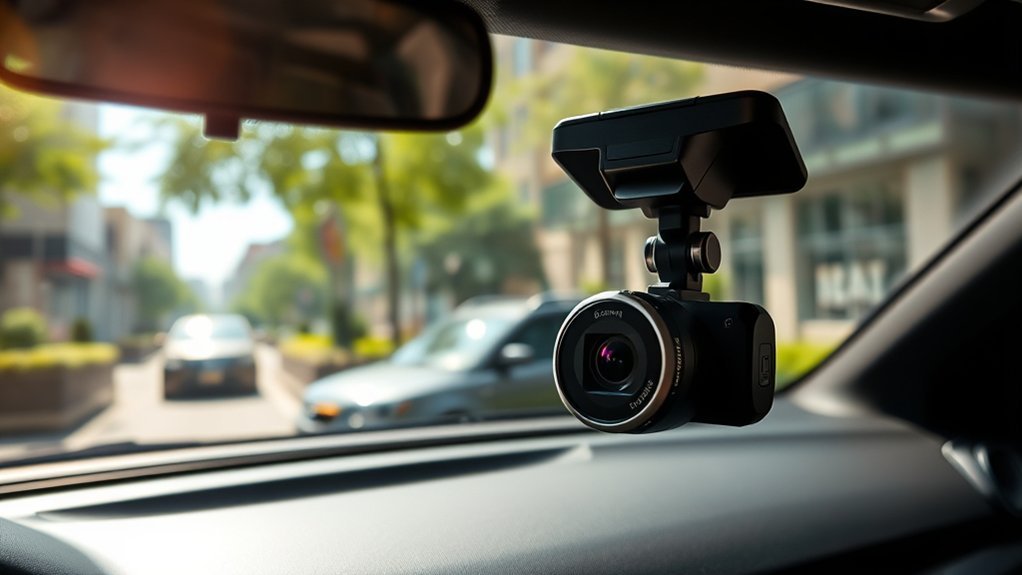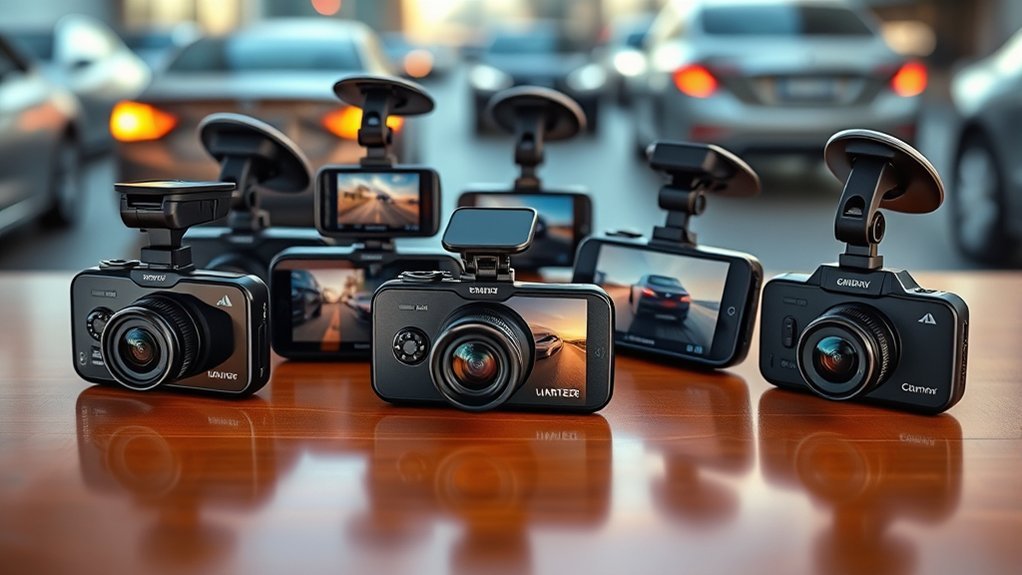
Looking for one of the best dash cams under $300 in 2026? You can choose from front-and-rear 4K systems, 3-channel cameras with cabin coverage, compact 1296P front cameras, and low-cost 1080P front-and-inside models. The right choice depends on the coverage you need, how much cable routing you can manage, and whether you want GPS, phone-app access, parking monitoring, or an included memory card. Prices, sellers, bundles, and stock can change, so confirm the current Amazon listing before you buy.
Affiliate disclosure: As an Amazon Associate, we may earn from qualifying purchases. This does not change the price you pay or influence which features and limitations we highlight.
Quick Verdict
The REDTIGER F7NP is the strongest all-around choice here for front-and-rear recording, GPS, fast Wi-Fi, an included 128GB card, and a supercapacitor. Choose the TERUNSOUl 3-channel model when cabin coverage matters for rideshare, delivery, or family use. Pick the 70mai M310 for a small front-only camera, or the Meiqils 1080P dual camera when you want basic front-and-inside coverage at the lowest feature level.
Before You Buy
- Confirm the current Amazon price if the dash cam must stay under $300.
- Check whether the listed resolution applies to the front camera only or to every channel.
- Verify whether a memory card is included and note the supported microSD capacity.
- Check whether parking mode needs a separate hardwire kit or another continuous power source.
- Review windshield-mounting and audio-recording rules where you drive.
How We Compared These Dash Cams
We compared the current product type, channel layout, listed recording resolution, night-vision features, Wi-Fi and GPS support, included storage, parking-mode power needs, warranty information, and the installation effort each setup requires. We did not assume that every “4K” claim applies to every camera in a multi-channel system.
| REDTIGER F7NP 4K Dash Cam Front and Rear | 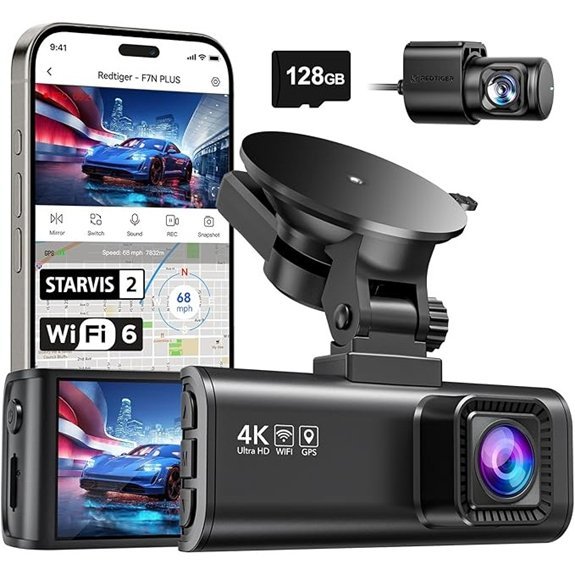 |
Best Overall | Resolution: 4K front, 1080P rear | Night Vision: STARVIS 2, WDR and HDR | Storage: 128GB card included | Check Price on Amazon | Read Our Analysis |
| TERUNSOUl 3-Channel 4K Dash Cam with 128GB Card | 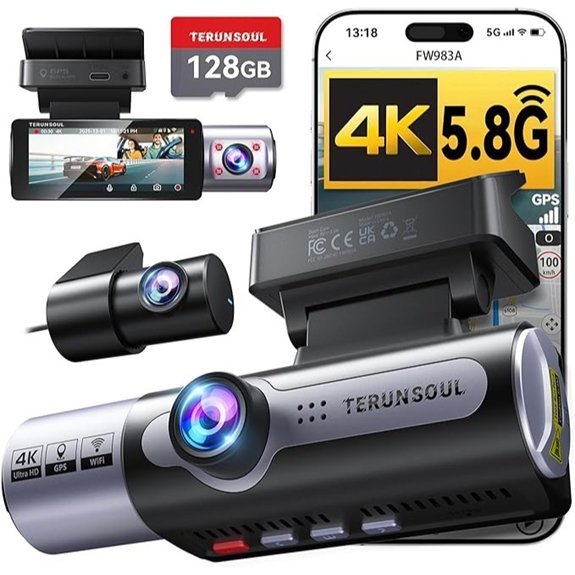 |
Best for Rideshare | Resolution: 4K front, 1080P rear and cabin | Night Vision: F1.6 lens with HDR | Storage: 128GB card included | Check Price on Amazon | Read Our Analysis |
| 70mai Dash Cam M310 with Built-in Wi-Fi | 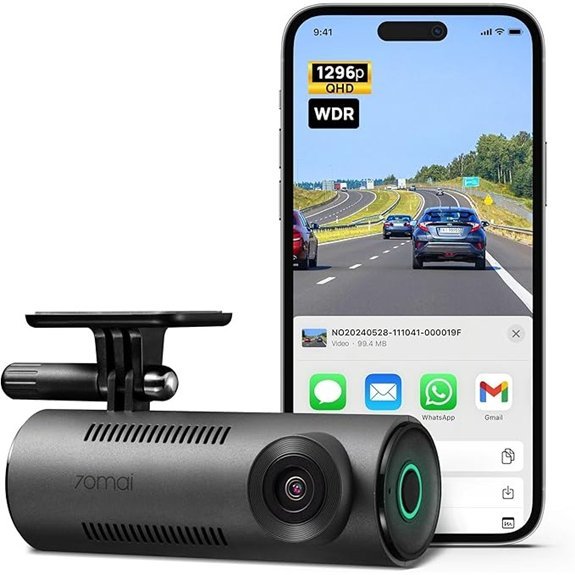 |
Best Compact Pick | Resolution: 1296P QHD front | Night Vision: WDR and 3D noise reduction | Storage: Up to 256GB; card not included | Check Price on Amazon | Read Our Analysis |
| Meiqils 1080P Front-and-Inside Dual Dash Camera | 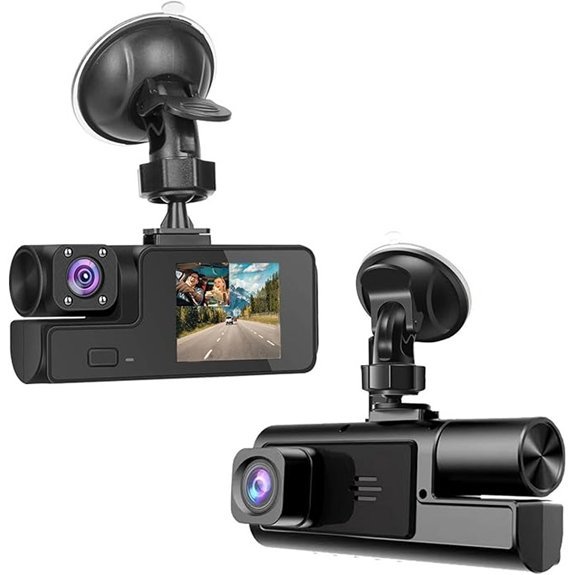 |
Best Budget Cabin View | Resolution: 1080P front and inside | Night Vision: WDR with infrared lights | Storage: 8GB to 32GB card; not included | Check Price on Amazon | Read Our Analysis |
More Details on Our Top Picks
-
REDTIGER F7NP 4K Dash Cam Front and Rear
The REDTIGER F7NP is the most balanced choice in this group for drivers who want dependable front-and-rear coverage without moving to a 3-channel installation. The current listing specifies 4K front and 1080P rear recording, STARVIS 2 imaging, WDR and HDR, built-in GPS, 5.8GHz Wi-Fi, a G-sensor, loop recording, a supercapacitor, and an included 128GB card.
Why you may like it: It combines the strongest verified feature set here with route data, phone-app access, included storage, and wide road coverage. Who should buy this: Daily commuters, road-trip drivers, and anyone who wants front-and-rear evidence. Who should avoid it: Choose another model if you need a cabin camera. Parking recording also needs a separate hardwire kit.
- Resolution: 4K front and 1080P rear
- Night Vision: STARVIS 2 sensor with WDR and HDR
- Field of View: 170° front and 140° rear
- Loop Recording: Yes, with event locking
- G-Sensor: Yes, locks impact clips
- Wi-Fi Connectivity: Built-in 5.8GHz Wi-Fi
- GPS: Built into the suction-cup mount
- Storage: 128GB card included; supports up to 512GB
- Power Design: Built-in supercapacitor
- Parking Mode: Separate hardwire kit required
- Warranty: 18 months
-
TERUNSOUl 3-Channel 4K Dash Cam with 128GB Card
The TERUNSOUl 3-channel dash cam records the road ahead, the rear view, and the cabin at the same time. The current listing specifies 4K front recording with 1080P rear and 1080P cabin channels, a 3.16-inch screen, built-in GPS, dual-band Wi-Fi, loop recording, collision locking, HDR-assisted night footage, and a pre-installed 128GB card.
Why you may like it: Three-channel coverage helps document passenger activity as well as traffic in front of and behind the vehicle. Who should buy this: Rideshare and delivery drivers, families, and drivers who want cabin evidence. Who should avoid it: Skip it if you want the simplest cable routing or only need a front camera. A separate hardwire kit is required for parking mode.
- Resolution: 4K front, 1080P rear and 1080P cabin
- Night Vision: F1.6 lens with HDR
- Field of View: 170° front; 165° rear and cabin
- Loop Recording: Yes, with automatic overwriting
- Collision Sensor: Yes, locks impact footage
- Wi-Fi Connectivity: 5.8GHz and 2.4GHz Wi-Fi
- GPS: Built in
- Storage: Pre-installed 128GB memory card
- Parking Mode: Separate hardwire kit required
- Warranty: 18 months with listed lifetime technical support
-
70mai Dash Cam M310 with Built-in Wi-Fi
The 70mai M310 is a compact front-only dash cam for drivers who value a discreet installation and simple phone access. It records at 2304 × 1296P, uses a 130° field of view, supports WDR and 3D noise reduction, and connects to the 70mai app through built-in Wi-Fi. It also supports loop recording, a G-sensor, voice alerts, parking monitoring, and time-lapse recording.
Why you may like it: Its small, screen-free body is easier to hide behind the mirror than a multi-camera system. Who should buy this: Drivers who want affordable front-view recording and app control. Who should avoid it: Skip it if you need rear or cabin coverage, built-in GPS, or an included memory card. Parking monitoring and time-lapse require the separately sold 70mai UP03 hardwire kit.
- Resolution: 2304 × 1296P QHD
- Night Vision: WDR with 3D noise reduction
- Field of View: 130°
- Loop Recording: Yes
- G-Sensor: Yes
- Wi-Fi Connectivity: Built-in Wi-Fi with app control
- GPS: Not listed as built in
- Storage: Supports 16GB to 256GB Class 10 microSD cards
- Included Card: No
- Parking Mode: 70mai UP03 hardwire kit required
- Warranty: 18 months
-
Meiqils 1080P Front-and-Inside Dual Dash Camera
The Meiqils dual dash camera is a basic front-and-inside recorder for buyers who do not need 2K or 4K detail. The selected listing records both views at 1080P and includes a 2-inch screen, G-sensor clip locking, loop recording, WDR, night vision with infrared lights, and a suction-cup mount. It does not include a memory card.
Why you may like it: It offers cabin coverage with a simpler, lower-cost feature set. Who should buy this: Budget buyers who need basic front and passenger-area recording. Who should avoid it: Choose a higher-resolution model if distant plate detail matters, and choose a true front-and-rear system if you need video behind the vehicle. This model has no verified Wi-Fi or GPS in the selected variation.
- Resolution: 1080P front and inside
- Night Vision: WDR with infrared lights
- Field of View: Listed 170° front and 140° inside
- Loop Recording: Yes
- G-Sensor: Yes, locks collision clips
- Wi-Fi Connectivity: Not included in the selected variation
- GPS: Not listed
- Storage: Supports 8GB to 32GB microSD cards
- Included Card: No
- Mount: Suction-cup windshield mount
- Warranty: 1 year
Factors to Consider When Choosing a Dash Cam Under $300
When choosing a dash cam under $300, start with the camera coverage your driving routine requires. A commuter may prefer front-and-rear recording, while a rideshare driver may need a cabin channel. You should also compare video resolution, low-light performance, storage, power design, parking mode, app access, GPS, and installation effort.
Choose the Right Channel Layout
A front-only camera is usually the smallest and easiest to install. A front-and-rear system adds evidence for rear-end collisions and events behind your vehicle. A 3-channel system also records the cabin, which can help rideshare, taxi, delivery, and family drivers. More channels require more cable routing and fill the memory card faster.
Key Features to Evaluate
Start with resolution, field of view, loop recording, G-sensor protection, storage support, and power requirements. A practical dash cam should start recording automatically, overwrite old unlocked footage when the card fills, and protect important clips after a sudden impact. Wi-Fi can simplify clip downloads, while GPS can add route, speed, location, and time data. When a listing says “4K,” check which channel actually records at that resolution.
Video Quality Requirements
Video quality affects how clearly the camera records road signs, lane position, nearby vehicles, and license plates. At minimum, look for 1080P recording. A 1296P or 4K front camera can provide more detail, especially in good daylight, but resolution alone does not guarantee readable plates in motion or poor weather. Also compare frame rate, lens angle, compression, rear-camera resolution, and real sample footage when available.
Night Vision Capabilities
Night recording matters if you drive before sunrise, after dark, through tunnels, or in poorly lit areas. Look for WDR, HDR, larger apertures, STARVIS-style sensors, or infrared lights for cabin cameras. These features can help balance headlights, shadows, and streetlights, but no budget dash cam can guarantee clear plate capture in every low-light situation.
Storage Options Available
Storage needs depend on resolution, channel count, clip length, and daily driving time. A 3-channel system fills a card faster than a front-only camera. Check whether the card is included, the maximum supported capacity, and the required speed class. For frequent loop recording, a high-endurance microSD card is usually a better fit than a general-purpose card when the dash-cam maker supports it.
Heat Resistance and Power Design
Dash cams sit behind the windshield, where cabin temperatures can become high. A supercapacitor-based camera can be a better choice for repeated heat exposure than a model that depends on a small internal lithium battery. Regardless of design, follow the maker’s operating-temperature guidance and avoid leaving loose batteries or accessories on the dashboard.
User-Friendly Installation Process
Front-only cameras normally mount near the rearview mirror and plug into a 12V outlet. Front-and-rear and 3-channel systems require more cable routing. Keep cables away from the driver’s view, pedals, and airbag deployment paths. If you are unsure how to route wiring around an A-pillar airbag or connect a hardwire kit safely, use a qualified installer.
Connectivity and App Functionality
Built-in Wi-Fi lets you connect a phone to the dash cam for playback, downloads, setting changes, and sometimes firmware updates. Faster Wi-Fi can reduce transfer time for large clips, but app reliability and ease of use matter too. GPS may be built into the camera, built into the mount, or unavailable, so check the selected listing rather than assuming every variation includes it.
Parking Mode and Power Needs
Parking mode can record impacts, motion, or time-lapse footage while the vehicle is off. Most dash cams need a compatible hardwire kit, OBD adapter, always-on outlet, or external battery pack for this feature. Use a power solution with low-voltage protection to reduce the risk of draining the vehicle battery, and confirm that the accessory matches the exact dash-cam model.
Evidence-Saving Features
A G-sensor can lock a clip after a sudden impact so normal loop recording is less likely to overwrite it. A manual emergency button can also help you save an important event. GPS and time stamps can add context, but a dash cam is an evidence tool, not a collision-prevention system. Save important files promptly because locked storage can still fill over time.
Warranty and Support Services
Dash cams deal with vibration, heat, firmware, app compatibility, mounts, power cables, and memory-card errors. Look for a clear warranty, current manuals, firmware instructions, and reachable support. Confirm the warranty for the seller and variation you select because marketplace bundles can change.
Frequently Asked Questions
Is 4K Worth It on a Dash Cam Under $300?
It can be worthwhile when the front camera uses a good sensor and bitrate, but the “4K” label does not guarantee readable license plates in every situation. Check whether 4K applies only to the front channel and compare actual footage, night performance, frame rate, and rear-camera resolution.
How Long Do Dash Cam Recordings Last Before Overwriting?
Recording time depends on the card size, resolution, number of channels, frame rate, bitrate, and loop settings. A 4K or 3-channel camera fills storage much faster than a 1080P front-only camera. Save important clips to another device as soon as possible.
Can Dash Cams Record While Parked?
Yes, many models support impact detection, motion recording, or time-lapse parking modes. However, the cameras in this guide that advertise parking surveillance generally need a separate compatible hardwire kit or another continuous power source. Do not assume the included 12V cable provides parking coverage after the vehicle turns off.
What Are the Benefits of Built-in Wi-Fi?
Built-in Wi-Fi can let you preview footage, download clips, change settings, and update firmware through a phone app. It does not normally provide internet access or remote cloud viewing unless the manufacturer specifically includes those services.
Do I Need a High-Endurance Memory Card?
A high-endurance microSD card is a sensible choice for continuous loop recording because dash cams repeatedly write and overwrite data. Use a card capacity and speed class supported by the exact camera, format it in the dash cam when instructed, and replace it if recording errors appear.
How Do I Install a Dash Cam Safely?
Clean the glass, place the camera where it does not block your view, test the angle, and route the power cable along secure trim paths. Keep wiring clear of pedals and airbag deployment areas. Format the memory card and record a short test clip before relying on the camera.
Are Dash Cams Legal to Use in All States?
Rules can vary for windshield placement, driver-view obstruction, passenger privacy, and audio recording. Check the law where you drive and consider turning audio off when consent rules or passenger privacy make recording inappropriate.
Do Dash Cams Lower Car Insurance?
A dash cam may provide evidence during a claim, but it does not guarantee a lower premium or a favorable claim decision. Ask your insurer whether it offers a dash-cam discount and how it accepts video evidence.
Final Recommendation
For most drivers, the REDTIGER F7NP offers the best balance of front-and-rear coverage, verified 4K front recording, GPS, Wi-Fi, included storage, and a supercapacitor. Choose the TERUNSOUl 3-channel dash cam for cabin recording, the 70mai M310 for a compact front-only setup, or the Meiqils dual camera when basic front-and-inside recording matters more than high resolution. Confirm the current seller, bundle, warranty, card requirements, and parking-mode accessories before checkout.
Conclusion
The best dash cam under $300 is the one that matches the evidence you actually need. Front-and-rear recording gives broader road coverage, a 3-channel model adds the cabin, and a compact front-only camera keeps installation simple. Compare channel resolution, night footage, storage, Wi-Fi, GPS, power design, parking-mode requirements, and warranty before buying. Then test the camera, date and time, memory card, and saved clips after installation.