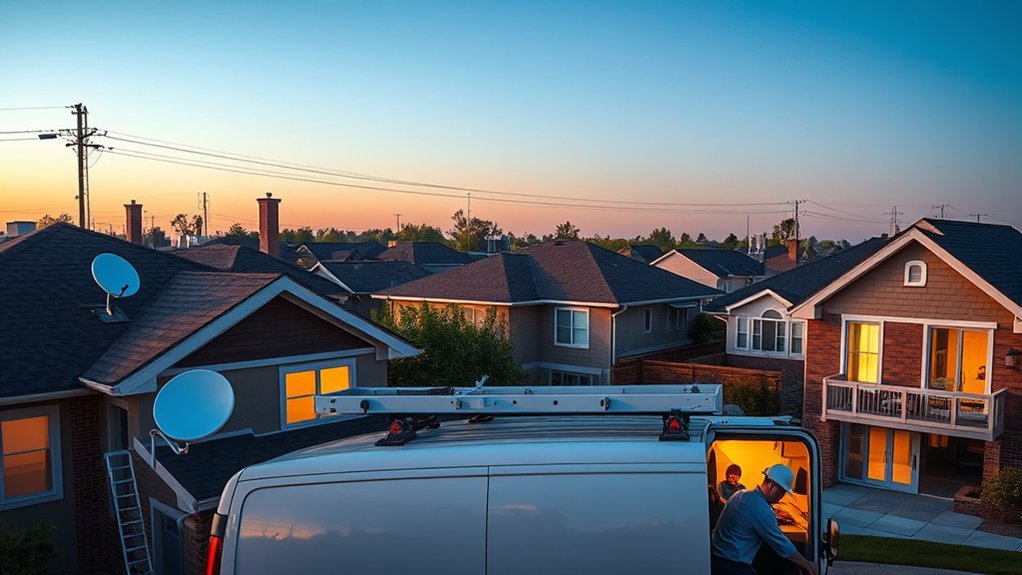
If you’re comparing internet providers in Broken Arrow, Oklahoma, start with availability at your exact address rather than choosing from a citywide list. AT&T Fiber, Cox, Kinetic by Windstream, T-Mobile Home Internet, and Starlink can all be relevant options, but the technologies, speeds, prices, and promotions available can vary by neighborhood or even by building.
Quick Answer
For many Broken Arrow households, fiber from AT&T or Kinetic is worth checking first because it can offer fast download and upload performance. Cox is a widely available cable option with multi-gig download tiers in parts of the area. T-Mobile can be a simple wireless alternative, while Starlink is useful where wired choices are limited. Always compare the plans available at your exact address.
Key Takeaways
- Check your exact address before comparing prices because availability can vary across Broken Arrow.
- AT&T Fiber advertises speeds up to 5 Gbps where available, while Kinetic advertises speeds up to 2 Gig in Broken Arrow.
- Cox offers cable internet with tiers reaching 2 Gig in the Broken Arrow market, but standard residential plans generally include a 1.25 TB monthly data allowance unless different terms apply.
- T-Mobile Home Internet can be attractive if you want straightforward wireless setup, but performance depends on local network capacity and signal quality.
- Compare the full monthly cost, upload speed, data policy, equipment, installation, and post-promotion price, not just the advertised download speed.
Assessing Your Internet Needs: Speed, Usage, and Budget

Before looking at plans, list what your household actually does online at the same time. Basic browsing, email, social media, and one or two video streams need far less capacity than several simultaneous 4K streams, large cloud backups, remote work, livestreaming, or frequent large game downloads.
The FCC Broadband Speed Guide emphasizes that household requirements depend on both the activities being performed and how many people are using the connection simultaneously. Instead of buying the fastest package automatically, choose enough capacity for your busiest normal period.
| Household profile | Practical starting range | Typical use |
|---|---|---|
| Light | About 50-100 Mbps | Browsing, email, video calls, a few streams |
| Moderate | About 200-300 Mbps | Several users, streaming, gaming, remote work |
| Heavy | About 500 Mbps-1 Gbps | Many simultaneous users, multiple high-resolution streams, large downloads and uploads |
| Very high demand | 1 Gbps+ | Large households, frequent large file transfers, power users who can benefit from extra capacity |
These ranges are practical starting points, not guarantees. A well-performing 300 Mbps connection may serve a household better than a gigabit plan connected to a poorly positioned Wi-Fi router.
Note: Download speed is only part of the comparison. Upload speed matters for video meetings, cloud backups, uploading large files, security cameras, and livestreaming. Latency also matters for responsive gaming and real-time calls.
Best Internet Providers and Their Plans
There is no single best internet provider for every Broken Arrow address. The strongest choice depends on which technologies reach your home, the current offer, upload requirements, data policy, and how much speed you actually need.
| Provider | Technology | Current advertised snapshot | Best reason to check |
|---|---|---|---|
| AT&T | Fiber where available | Up to 5 Gbps in parts of Broken Arrow; current promotions and prices depend on address and eligibility | Very fast fiber with no data caps on AT&T Fiber plans |
| Kinetic by Windstream | Fiber and other technologies depending on location | Broken Arrow page currently advertises 100 Mbps from $24.99/month, 300 Mbps from $39.99/month, and speeds up to 2 Gig | Competitive fiber pricing with no annual contracts or data limits on Kinetic Fiber |
| Cox | Primarily hybrid fiber-coax cable, with fiber in some locations | Broken Arrow offers include tiers reaching 2 Gig; exact prices and promotions depend on address | Broad range of cable speeds and plan choices |
| T-Mobile Home Internet | 5G/LTE fixed wireless | Unlimited-data home internet plans with included gateway and no annual contract; offers vary | Simple setup without running a new wired connection through the home |
| Starlink | Low-Earth-orbit satellite | Residential service currently starts at $55/month in qualifying U.S. locations; equipment terms and service availability vary by address | Useful where strong wired or fixed-wireless choices are limited |
For the most reliable availability check, enter your home address in the FCC National Broadband Map. It can show which providers report service at a specific location, the connection technology, and maximum advertised speeds. Then confirm the result directly with each provider because current inventory, network capacity, promotions, and installation eligibility can change.
Pricing Plans for Every Budget
Internet pricing in Broken Arrow cannot be reduced to one permanent citywide number. Providers frequently change promotions, and two homes in the same city may qualify for different technologies or offers.
As of August 2026, Kinetic’s Broken Arrow page advertises a 100 Mbps tier from $24.99/month and 300 Mbps from $39.99/month. AT&T’s Broken Arrow Fiber page advertises temporary discounts on qualifying fiber plans, while Cox displays local plan pricing after an address or market is selected. T-Mobile and Starlink also use offers and eligibility rules that can change.
Before ordering, open the plan’s FCC Broadband Consumer Label. These labels are designed to show important plan information such as price, introductory pricing, fees, data allowance, typical speeds, and other terms in a standardized format.
Affordable Options Available
If price matters most, start by checking the lowest regular tier that comfortably covers your household rather than buying gigabit service automatically. Kinetic currently advertises lower-speed fiber options in Broken Arrow, while Cox has separate low-cost programs for some qualifying households. T-Mobile may also be competitive when a qualifying home-internet offer is available at your address.
Compare the price you will actually pay after any introductory period. A $5 or $10 difference in the advertised rate can become irrelevant if one option adds equipment charges, installation costs, data add-ons, or a large post-promotion increase.
Premium Plans Explained
Premium tiers make the most sense when your household can actually use the extra capacity. AT&T Fiber advertises speeds up to 5 Gbps where available in Broken Arrow. Kinetic advertises speeds up to 2 Gig locally, and Cox also advertises tiers reaching 2 Gig in the Broken Arrow market.
For most households, however, moving from a few hundred Mbps to multi-gigabit service will not automatically make every website, stream, or game feel faster. The remote server, device hardware, Wi-Fi standard, router placement, and local network congestion can all become limiting factors.
Pro Tip: If you routinely upload large files, work with cloud storage, or make important video calls, compare upload speeds before paying for a faster download tier. Fiber can be especially attractive when high upload performance is important.
Hidden Fees to Watch
Do not judge a plan by the large monthly number alone. Check these items before ordering:
- Promotional period: Find out whether the advertised rate expires and what happens afterward.
- Equipment: Check whether the gateway or router is included, optional, rented, or purchased.
- Installation: Ask whether you qualify for free self-installation or need a technician.
- Data allowance: Cox currently describes a standard residential allowance of 1.25 TB (1,280 GB) per month, with additional data options available. AT&T Fiber and Kinetic Fiber advertise no data caps.
- Required discounts: AutoPay, paperless billing, wireless-service bundles, or other qualifications may affect the advertised rate.
- Taxes and other charges: Check the Broadband Consumer Label and checkout summary for charges applicable to your location.
Warning: Internet prices and promotions change frequently. Treat the figures in this guide as a current snapshot, not a guaranteed future price. Confirm the Broadband Consumer Label and final checkout terms for your exact address before signing up.
Finding the Right Internet Speed for You
The best speed is the lowest tier that comfortably handles your household’s simultaneous activity with some room for growth. Counting devices alone is not enough because an idle smart speaker uses far less bandwidth than a television streaming 4K video or a computer uploading a large cloud backup.
Choosing Based on Usage
For light use, a 50-100 Mbps plan can be a sensible starting point. Households with several active streamers, gamers, remote workers, or students may prefer roughly 200-500 Mbps. A 500 Mbps to 1 Gbps connection gives more headroom for larger households and heavy simultaneous activity.
Plans above 1 Gbps are most useful when you have compatible networking hardware and a genuine need for large amounts of bandwidth. Many phones, televisions, and laptops will never use a multi-gigabit connection by themselves.
Assessing Device Connectivity Needs
Think about what happens during your busiest hour. If two televisions are streaming, someone is gaming, another person is on a video meeting, and multiple phones and smart-home devices are connected, your needs are very different from a one-person household checking email.
Also check your router. A fast internet plan cannot overcome weak Wi-Fi coverage in a distant bedroom. Place the gateway in an open, central location when possible, keep it away from large metal objects and enclosed cabinets, and consider a mesh system or wired Ethernet for difficult areas.
Understanding Speed Requirements
Use speed tiers as a planning tool rather than a promise that every device will receive the advertised maximum.
| Usage Type | Suggested Starting Range | What to Consider |
|---|---|---|
| Light Browsing | 50-100 Mbps | Email, web browsing, social media, light streaming |
| Moderate Streaming & Work | 200-300 Mbps | Several concurrent users, video meetings and streaming |
| High Demand | 500 Mbps-1 Gbps | Many active users, multiple high-resolution streams and large transfers |
| Power Users | 1 Gbps+ | Large households, frequent large files or specialized high-bandwidth use |
If you are unsure, start with a midrange tier that can be upgraded later instead of paying for maximum speed from day one.
Pros and Cons of Each Internet Provider
- AT&T Fiber: The main advantages are fiber technology, speeds up to 5 Gbps where available, no data caps on Fiber plans, and no standard equipment charge for the core gateway. The main limitation is availability: AT&T Fiber is offered only at qualifying addresses in Broken Arrow.
- Kinetic by Windstream: Kinetic advertises fiber speeds up to 2 Gig in Broken Arrow, along with no annual contracts and no data limits on Kinetic Fiber. The exact technology and plan available still depend on the address.
- Cox: Cox offers a wide selection of cable tiers, including multi-gigabit downloads in the local market. A key item to review is its standard 1.25 TB residential monthly data allowance and any equipment or promotion terms associated with your selected plan.
- T-Mobile Home Internet: T-Mobile can be convenient because the gateway is included and there is no annual contract on its standard home-internet offering. The tradeoff is that fixed-wireless performance can vary with tower capacity, signal quality, placement, and time of day.
- Starlink: Starlink can provide an alternative where wired broadband choices are weak. It requires a suitable location with a clear view of the sky, and speeds can vary because of congestion, network conditions, and obstructions.
A fiber plan is usually worth checking first when it is available at a competitive price. If fiber is not available, Cox cable may provide much higher fixed-line speeds than older DSL options. T-Mobile and Starlink are useful alternatives when wired choices, installation options, or location make them more practical.
How to Set Up Your Internet Connection Effectively
A good setup starts before installation. Follow these steps to avoid paying for a fast plan that performs poorly inside your home.
- Check exact availability. Search your address on the FCC National Broadband Map and then verify it on each provider’s official website.
- Compare Broadband Consumer Labels. Review monthly price, promotional terms, typical speeds, data allowance, equipment, and fees.
- Choose the right technology and speed. Give fiber priority when its price and availability make sense, but do not automatically buy the fastest tier.
- Ask about installation. Some plans support self-installation, while a new fiber connection or other network work may require a technician.
- Place the router carefully. Use an open, central location instead of a closet, floor corner, or metal cabinet.
- Test after installation. Run a test close to the router and, when possible, test a computer through Ethernet. This helps separate an ISP-speed problem from a Wi-Fi coverage problem.
- Fix weak rooms separately. A mesh Wi-Fi system, Ethernet run, or better access-point placement may solve dead zones without upgrading the internet plan.
| Provider | Key Point to Verify |
|---|---|
| AT&T | Whether Fiber and your preferred speed tier reach your exact address |
| Kinetic | Whether the local connection is fiber and which tier is available |
| Cox | Promotion length, equipment terms and data allowance |
| T-Mobile | Address eligibility and expected fixed-wireless performance |
| Starlink | Service availability, equipment terms and clear-sky installation location |
Pro Tip: If an Ethernet-connected computer gets close to your expected speed but a bedroom phone is slow, upgrading your internet package probably will not fix the problem. Improve the home Wi-Fi network instead.
Frequently Asked Questions
How Do I Check Which Internet Provider Is Best in My Area?
Enter your exact address in the FCC National Broadband Map, then confirm availability with the providers themselves. Compare connection type, download and upload speeds, monthly price, post-promotion price, equipment, installation, data policy, and contract terms.
What Provider Has the Worst WiFi?
There is no reliable way to name one Broken Arrow provider as having universally the worst Wi-Fi. Wi-Fi performance depends on the gateway, router placement, home layout, interference, device capabilities, and distance from the router. Test through Ethernet when possible before assuming the internet provider itself is causing a Wi-Fi problem.
Who Has the Fastest Internet in Oklahoma?
At an eligible Broken Arrow address, AT&T Fiber currently advertises residential speeds up to 5 Gbps. That does not mean 5 Gbps is available at every Oklahoma address, so check the exact location before comparing maximum speeds.
Who Is the Best Internet Company to Go With?
There is no universal winner. Check AT&T Fiber and Kinetic first if fiber reaches your home at a competitive price. Cox can be a strong cable alternative. T-Mobile may suit households that prefer easy fixed-wireless setup, while Starlink can help where terrestrial options are limited.
Is Fiber Internet Available Everywhere in Broken Arrow?
No. Fiber availability is address-specific. AT&T says Fiber is available in parts of Broken Arrow, while Kinetic also operates fiber service in the area. Enter your street address on each provider’s site to see what technology is actually offered at your home.
Do I Need Gigabit Internet at Home?
Not necessarily. Many households can comfortably use a 200-500 Mbps connection. Gigabit service is more useful for large households, frequent large downloads or uploads, many simultaneous high-bandwidth activities, or people who simply want extra capacity.
Why Is My WiFi Slower Than My Internet Plan?
Advertised internet speed describes the service delivered to your connection under specified conditions, not a guaranteed Wi-Fi speed in every room. Distance, walls, interference, older devices, router capability, and network congestion can all reduce wireless performance.
Conclusion
The best internet provider in Broken Arrow is the one that delivers the right combination of technology, speed, upload performance, price, data policy, and reliability at your exact address. Check AT&T and Kinetic for fiber first, compare Cox if cable is available, and consider T-Mobile or Starlink when wireless service better fits your location. Before ordering, review the provider’s current Broadband Consumer Label so you know the real price and terms rather than relying only on an advertised headline rate.
Sources
- FCC National Broadband Map — address-level provider, technology, and advertised-speed availability.
- AT&T Fiber in Broken Arrow — local Fiber availability, current offers, and speeds up to 5 Gbps where available.
- Kinetic Internet in Broken Arrow — current local advertised tiers and speeds up to 2 Gig.
- Cox Internet in Broken Arrow — local tiers, pricing examples, and plan terms.
- T-Mobile Home Internet Plans — current plan features, gateway information, unlimited-data terms, and contract details.
- Starlink Residential — current residential service, pricing, equipment terms, and address-based availability.